
Overview
Customer Dashboard Portal is the customer-facing workspace for discovering published models, testing prompts, monitoring inference health, managing API keys, organizing projects, and tracking usage and billing.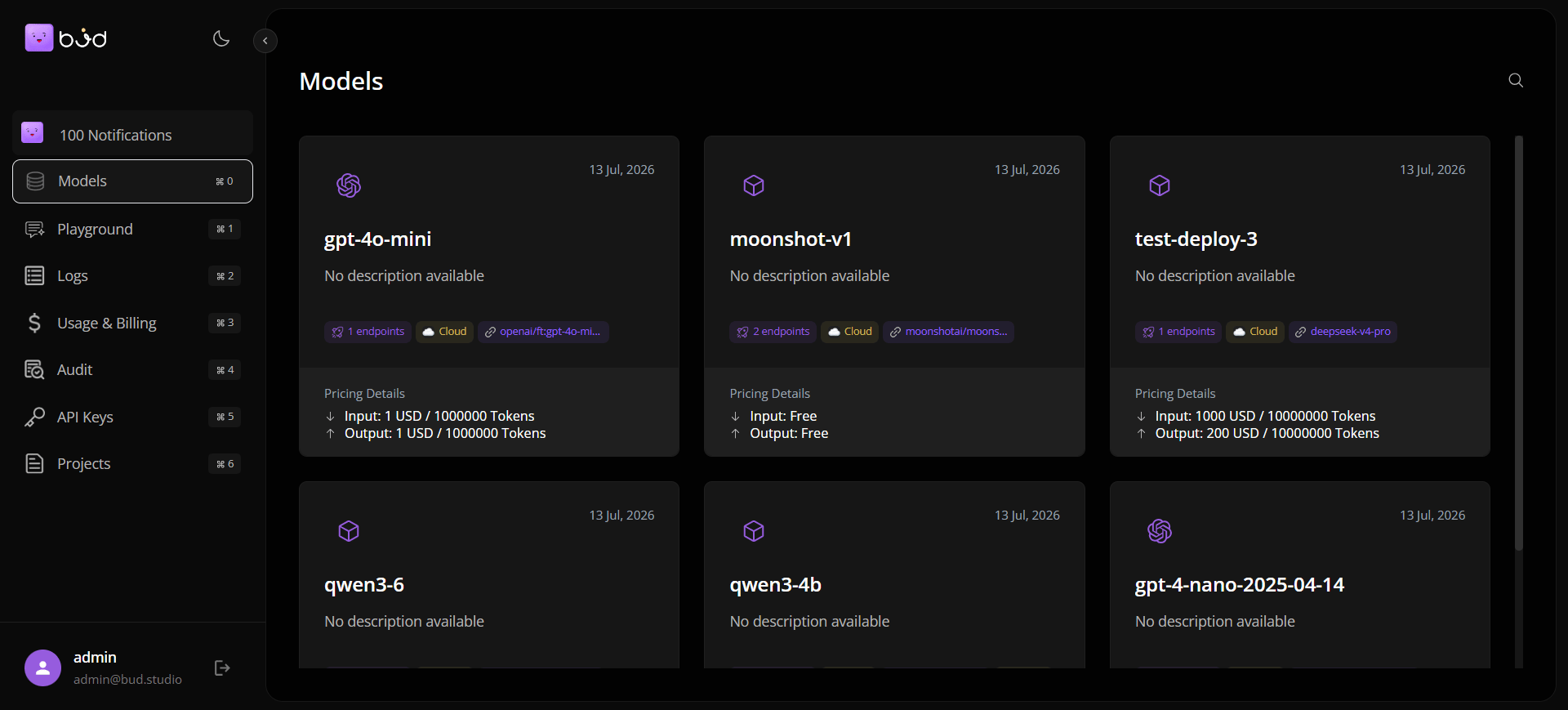
What You Can Do in One Place
- Browse and search published models with metadata, modalities, and endpoint details.
- Test prompts in Playground before integrating into applications.
- Investigate metrics and request-level telemetry in Logs.
- Monitor cost, tokens, and requests in Usage & Billing.
- Create and rotate API keys scoped to projects.
- Review audit events for governance and compliance workflows.
Core Navigation Areas
Who This Module Is For
- Application developers who need model snippets and quick validation.
- Platform operators who need observability and request debugging.
- Project owners who manage API access, spend controls, and governance.
Typical Workflow
- Select a project.
- Explore available models and read usage snippets.
- Test prompts in Playground.
- Create an API key for secure integration.
- Go live and monitor Logs + Usage.
- Use Audit for compliance and incident review.