
Overview
The Deployments module is where a project turns models into live endpoints. It centralizes endpoint creation, runtime tuning, publishing, and lifecycle operations for both cloud and local models. From a single project tab, teams can deploy workloads, monitor status, control reliability policies, and expose approved endpoints to downstream consumers.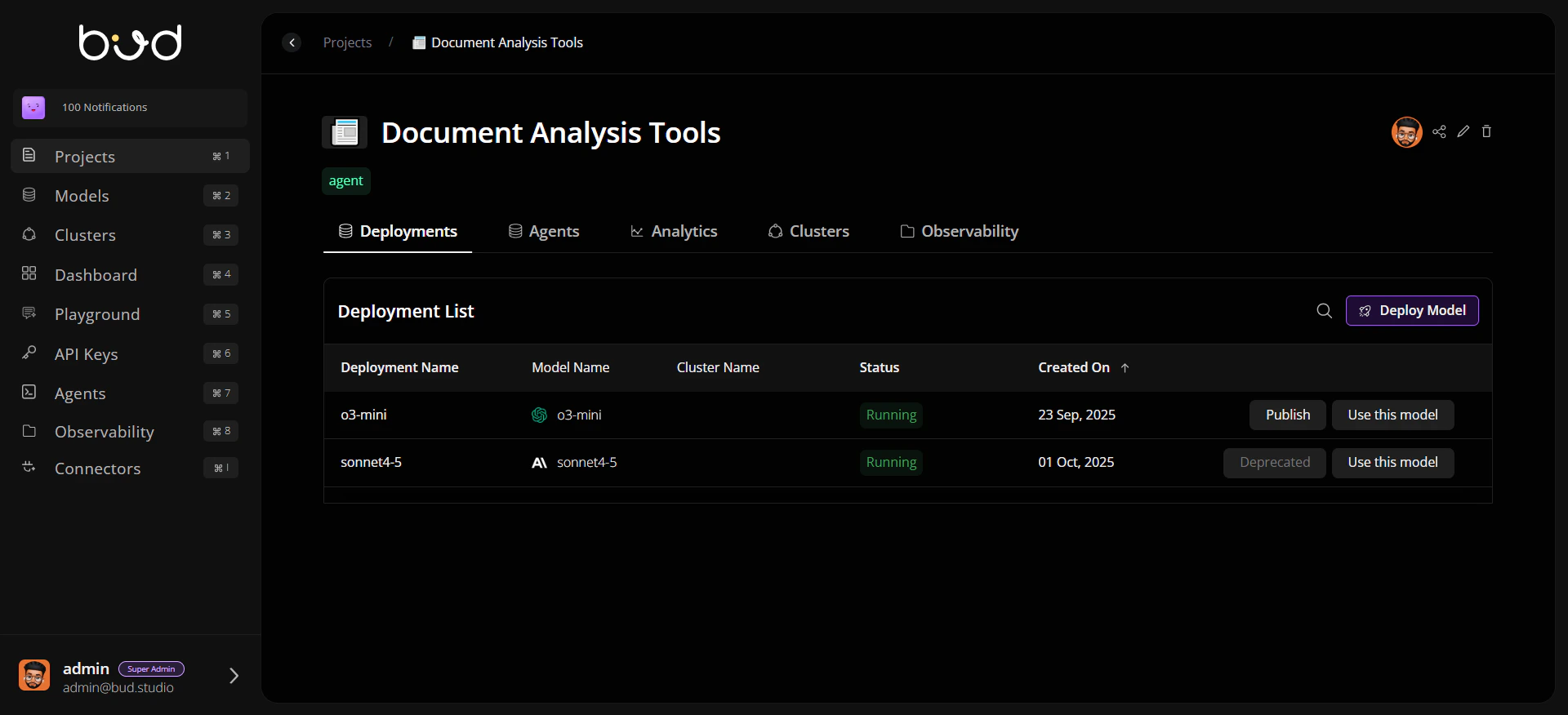
Why Deployments Matter
Immediate endpoint usability after deploy Once a model is deployed and active, the endpoint is available. Use Use this model to copy cURL, Python, or JavaScript snippets for integration. Separate publish workflow for customer portal Publish is used to expose models in the Customer Dashboard portal with pricing metadata for customer consumption. Built-in reliability controls Configure retries, fallback chains, and rate limiting directly from deployment settings. Production visibility Track endpoint health and review runtime details through deployment-level tabs.Deployment Lifecycle
Core Areas in Deployments
Typical Workflow
- Open a project and navigate to Deployments.
- Deploy a model with the right cluster and runtime profile.
- Validate endpoint readiness from deployment details.
- Use Use this model to copy integration snippets and test endpoint calls.
- Publish with pricing metadata only when you want the model available in the Customer Dashboard portal.