
Overview
Bud AI Foundry Pipelines enable you to automate complex workflows through visual, directed acyclic graphs (DAGs). Build workflows that orchestrate deployments, manage clusters, and coordinate multi-step processes - all from an intuitive drag-and-drop editor.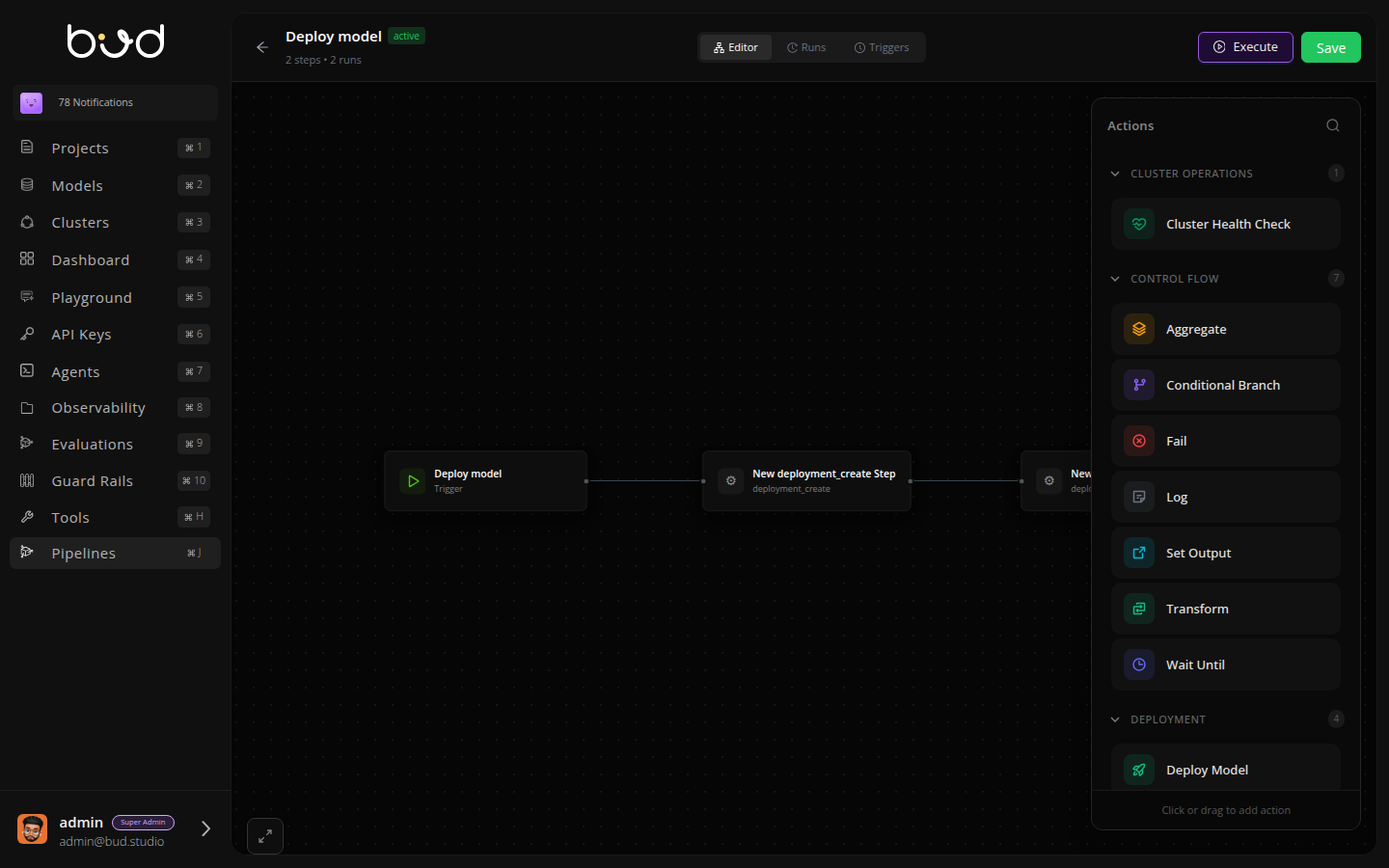
Key Features
Visual Pipeline Editor Build workflows with drag-and-drop. Connect actions, configure parameters, and visualize execution flow - no code required. Event-Driven Execution Trigger pipelines automatically based on platform events like deployments, cluster changes, or custom triggers. Complete Observability Track every execution with detailed logs, status monitoring, and execution history stored in PostgreSQL. Built-in Reliability Automatic retries, conditional branching, and error handling ensure your workflows complete successfully.Available Actions
Pipelines provide actions across multiple categories:All actions support custom parameters, automatic retries, and timeout configuration. Use the visual editor to discover and configure actions.
How It Works
- Create - Build your pipeline in the visual editor
- Configure - Set up triggers (manual, scheduled, or event-based)
- Execute - Run pipelines on-demand or automatically
- Monitor - Track execution status and view detailed logs