
Step 1: Open Playground
- Sign in to Bud Admin.
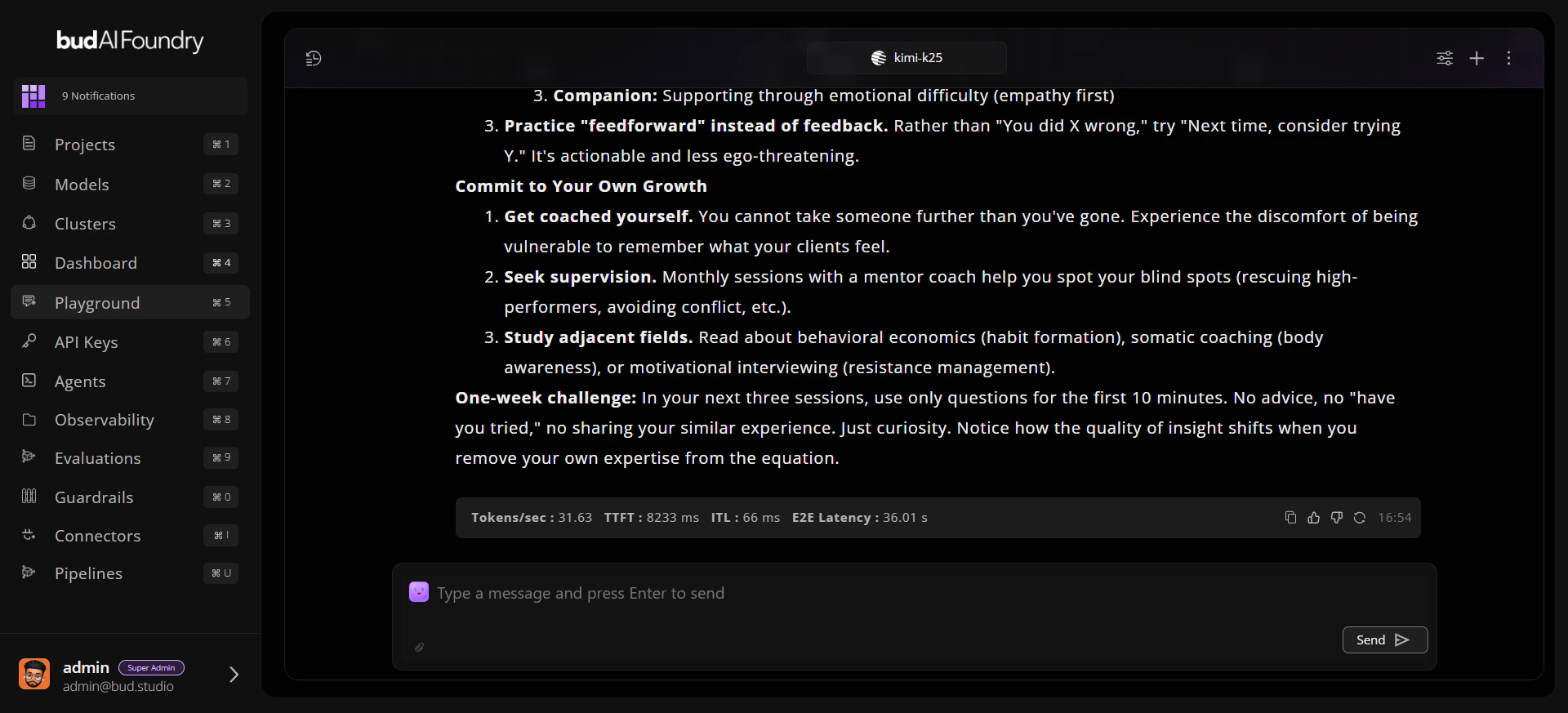
- Click Playground from the left navigation.
Step 2: Start a Single-Model Chat
- Choose a model/endpoint in the selector.
- Enter a prompt (example: “Summarize this support ticket in 3 bullet points”).
- Click Send.
- Observe output quality and latency.
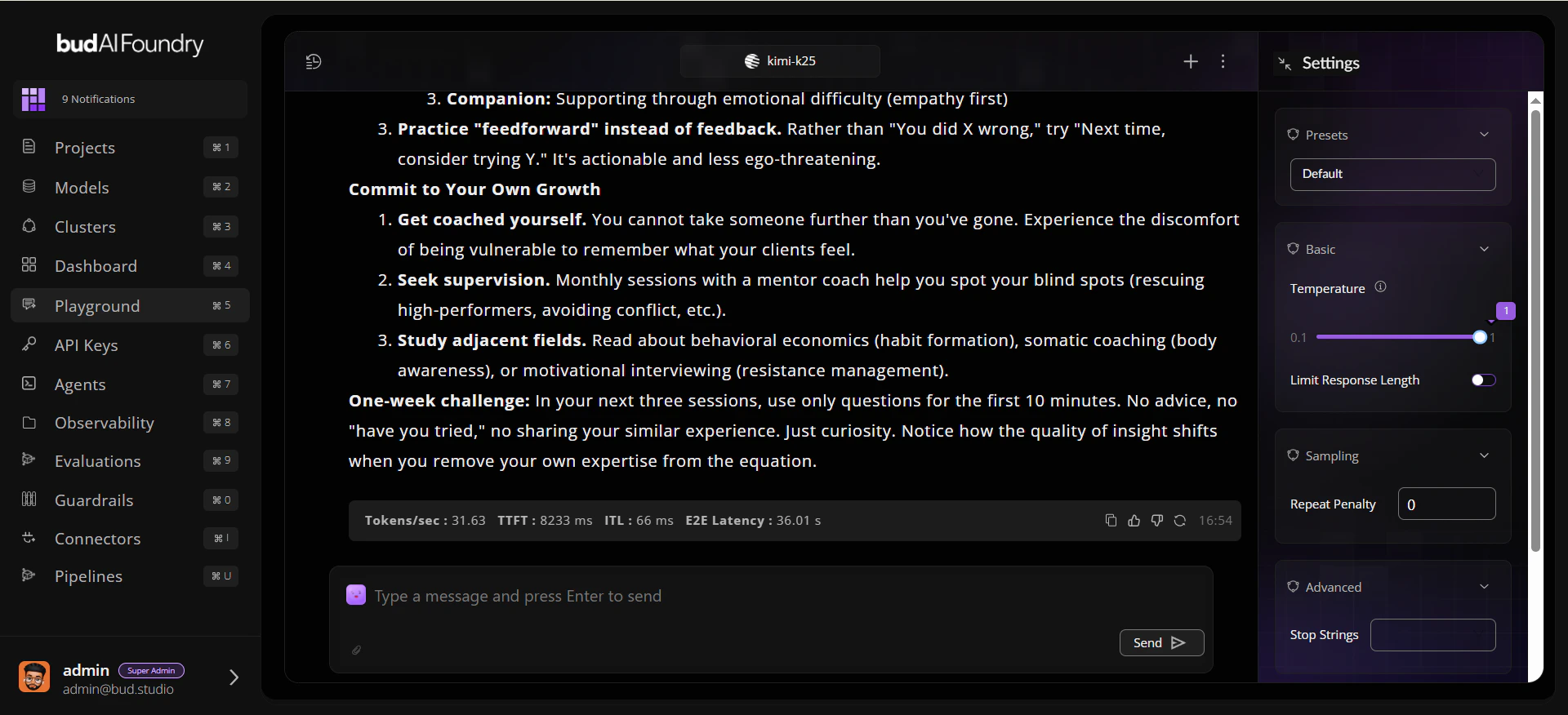
Step 3: Tune Generation Settings
Open Settings and modify:- Temperature
- Response length/token limit
- Repeat penalty
- Stop strings
Step 4: Compare Models
- Open a new chat window/pane.
- Select a second model.
- Reuse the same prompt in both panes.
- Compare response quality, consistency, and speed.
Step 5: Save and Revisit
- Keep the session in chat history for later review.
- Use message-level controls (copy/edit/retry/feedback) to iterate.
Use the same prompt template across models to make comparisons fair and repeatable.
What to Do Next
- Move to Playground Concepts to understand session architecture.
- Follow Creating Your First Playground Workflow for a full evaluation loop.