
Overview
MCP Foundry is the control plane for making enterprise systems available to AI agents through the Model Context Protocol (MCP). It provides one governed place to create capabilities from internal APIs, connect existing MCP servers, package reusable instructions, and publish only the capabilities each client is allowed to use.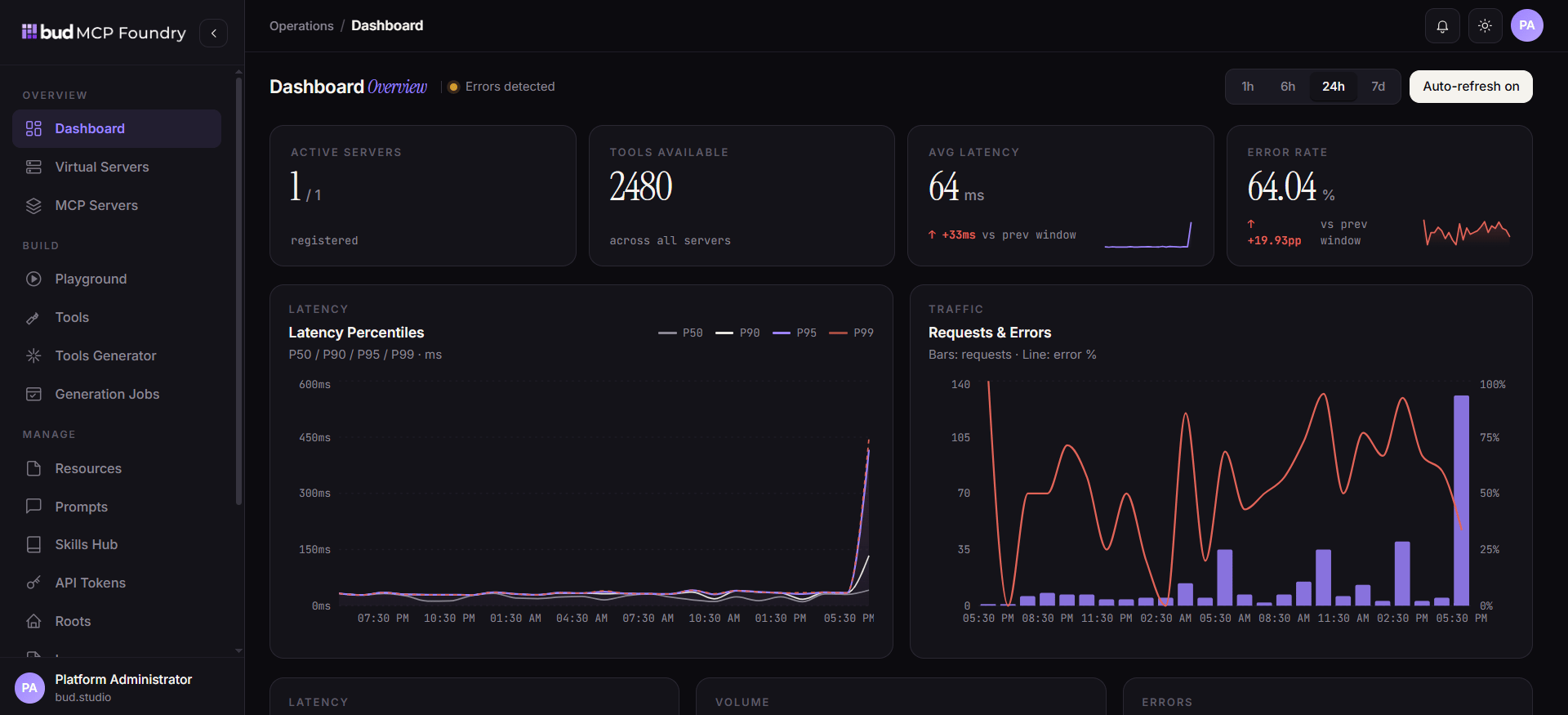
What you can do
- Create tools that expose internal HTTP APIs as MCP-callable functions, with input schemas, headers, authentication, tags, and visibility controls.
- Generate tools at scale from OpenAPI specifications, API documentation URLs, or Postman collections instead of defining each endpoint manually.
- Add resources for agent-readable organizational knowledge, either from a URL or inline content.
- Manage prompts as reusable, parameterized templates that MCP clients can discover and invoke.
- Build portable skills that combine markdown instructions with selected tools and can be reused across agents and supported gateways.
- Federate MCP servers by connecting hosted, self-hosted, registry, or deployable MCP servers into a managed catalog.
- Publish virtual servers that present a purpose-built combination of tools, resources, prompts, and skills to MCP clients.
- Govern and operate the estate with teams, API tokens, roots, logs, dashboards, and server-level visibility controls.
The operating model
MCP Foundry separates the capabilities you manage from the endpoints your agents use. First, platform teams register or generate reusable building blocks. Then they compose those building blocks into virtual servers. Finally, agents connect to the published server over an MCP-compatible transport and receive only the exposed catalog.Core building blocks
A typical enterprise workflow
- A platform or application team adds an internal API as a tool, or generates tools from its API definition.
- A knowledge owner adds policy documents or inline content as resources.
- Subject-matter experts create prompts and skills that specify how an agent should use the available capabilities.
- An administrator creates a virtual server, attaches the approved capabilities, and configures access and visibility.
- An MCP client connects to the virtual server, discovers its catalog, and invokes the allowed tools, resources, prompts, or skills.
- Operators monitor requests, latency, failures, and audit activity, then adjust the configuration as requirements change.
Next steps
- Start with Quickstart to publish a first governed endpoint.
- Read MCP Foundry concepts before designing a larger catalog.
- Use Creating your first server for the end-to-end composition workflow.