
Goal
Integrate one deployed endpoint into an application service with secure auth, robust request handling, and baseline observability.Step 1: Prepare Endpoint Information
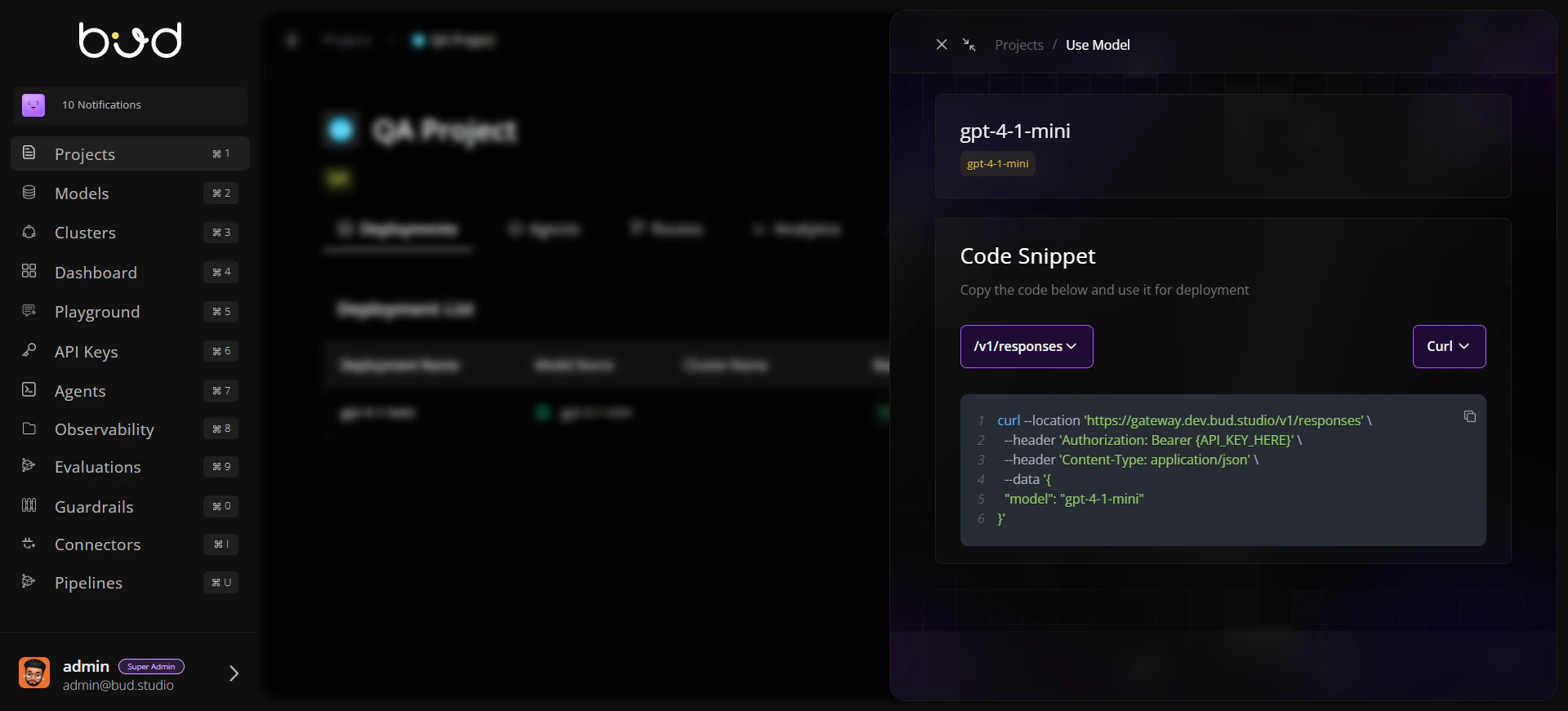
From your project, open Use this model and collect:- Base URL
- Endpoint path
- Model name
- Endpoint type (chat, embedding, image, audio, etc.)
Step 2: Create an API key
- Go to API Keys from the navigation.
- Open the projects tab.
- Create new key for the required project containing endpoint.
Step 3: Send a Test Request
Step 4: Validate Response and Move to Application Code
- Verify the response from the test request returns a 200 status code and the expected payload.
- When moving to your application code, consider enabling streaming to process the response incrementally.
Step 5: Add Retry and Error Mapping
Implement client-side handling:- Retry
429and5xxwith backoff. - Surface
401/403as credential/permission issues. - Treat
400/422as payload validation errors.
Step 6: Add Monitoring Hooks
Capture and store:- Request ID (if available)
- Endpoint URL/path
- Status code
- Latency
- Token/request usage metrics
Validation Checklist
Request succeeds with valid key and payload
Invalid key returns expected auth error handling
Retry path works for simulated transient failures
Logs include endpoint, status, and latency fields