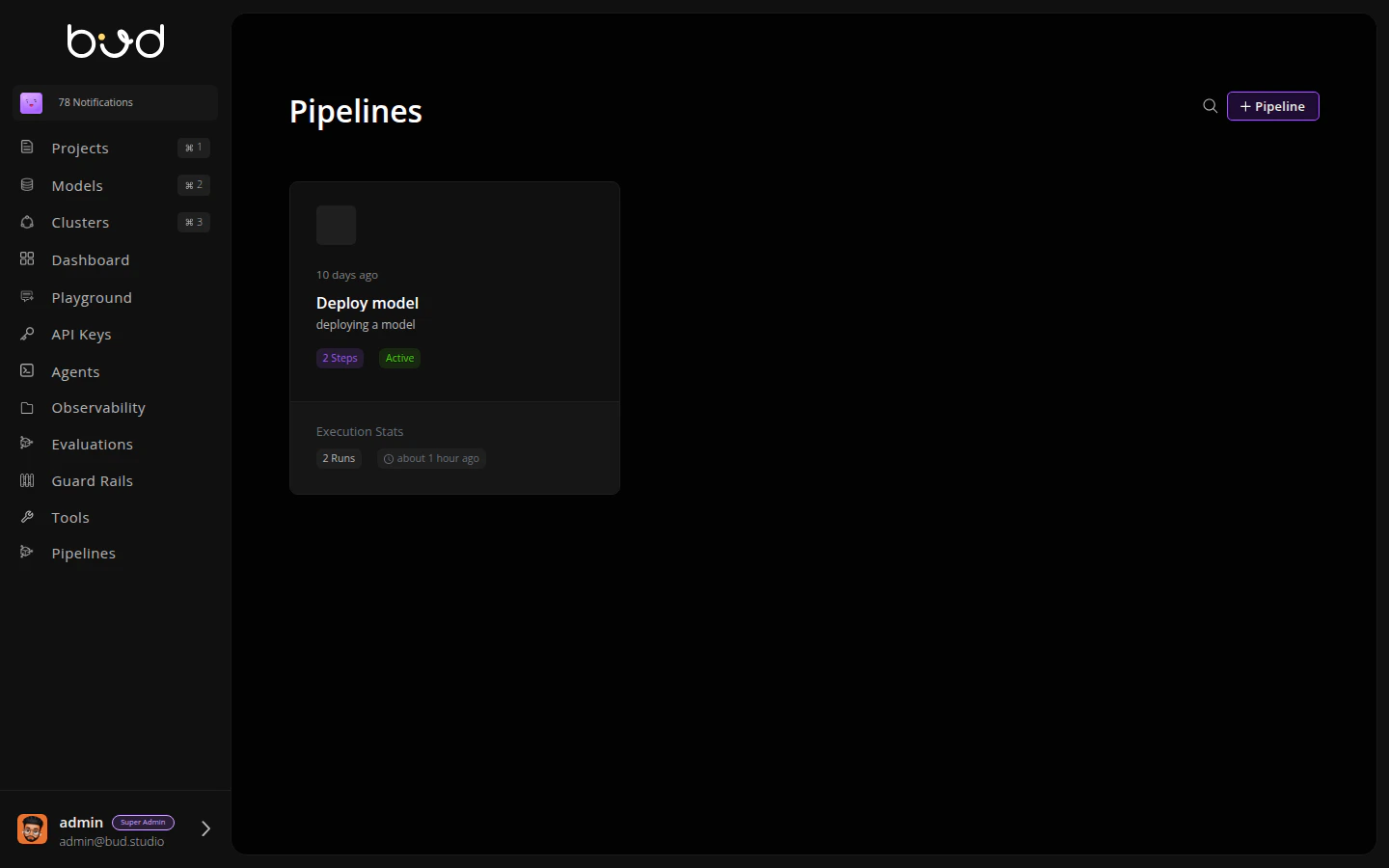
This guide walks you through creating a model deployment pipeline: add a model from HuggingFace, then deploy it to a cluster.

Step 1: Navigate to Pipelines

  1. Log in to Bud AI Foundry
  2. Click Pipelines in the left sidebar
  3. Click the + Pipeline button
Pipeline List

Step 2: Name Your Pipeline

  1. Enter a name: “Model Deployment Pipeline”
  2. Add a description: “Add and deploy a model from HuggingFace”
  3. Click Create

Step 3: Add Actions

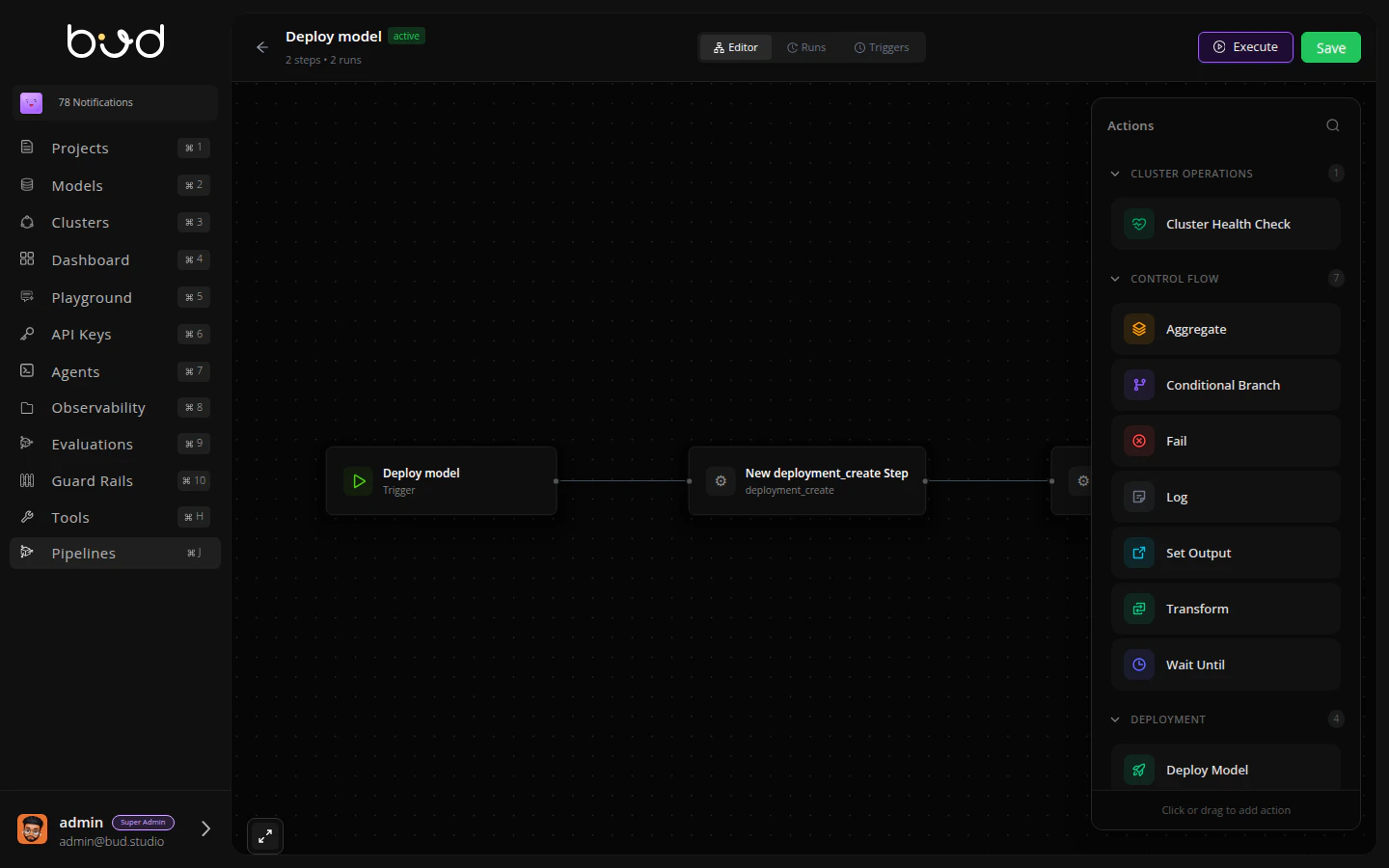
The pipeline editor opens with a visual canvas. Let’s build the workflow:

Add Model Action

  1. From the Actions panel on the right, expand Model Operations
  2. Drag Add Model onto the canvas
  3. Click the action to configure it:
    • Model URI: meta-llama/Llama-3.2-1B-Instruct
    • Model Name: Llama-3.2-1B-Instruct
    • Model Source: hugging_face
  4. Click Save
Pipeline Editor

Deploy Model Action

  1. From the Actions panel, expand Deployment
  2. Drag Deploy Model onto the canvas
  3. Connect the actions: click the dot on Add Model and drag to Deploy Model
  4. Configure the deployment:
    • Model ID: steps.add_model.output.model_id
    • Cluster ID: Select your cluster from dropdown
    • Deployment Name: llama-deployment
  5. Click Save

Add Set Output

  1. Drag Set Output action after Deploy Model
  2. Connect Deploy Model → Set Output
  3. Configure:
    • Key: “endpoint_url”
    • Value: steps.deploy_model.output.endpoint_url
  4. Click Save

Step 4: Execute the Pipeline

  1. Click the Execute button in the top-right
  2. Click Run

Step 5: Monitor Execution

  1. Click the Runs tab
  2. You’ll see your execution progress through each step
  3. Click View to see detailed logs and outputs
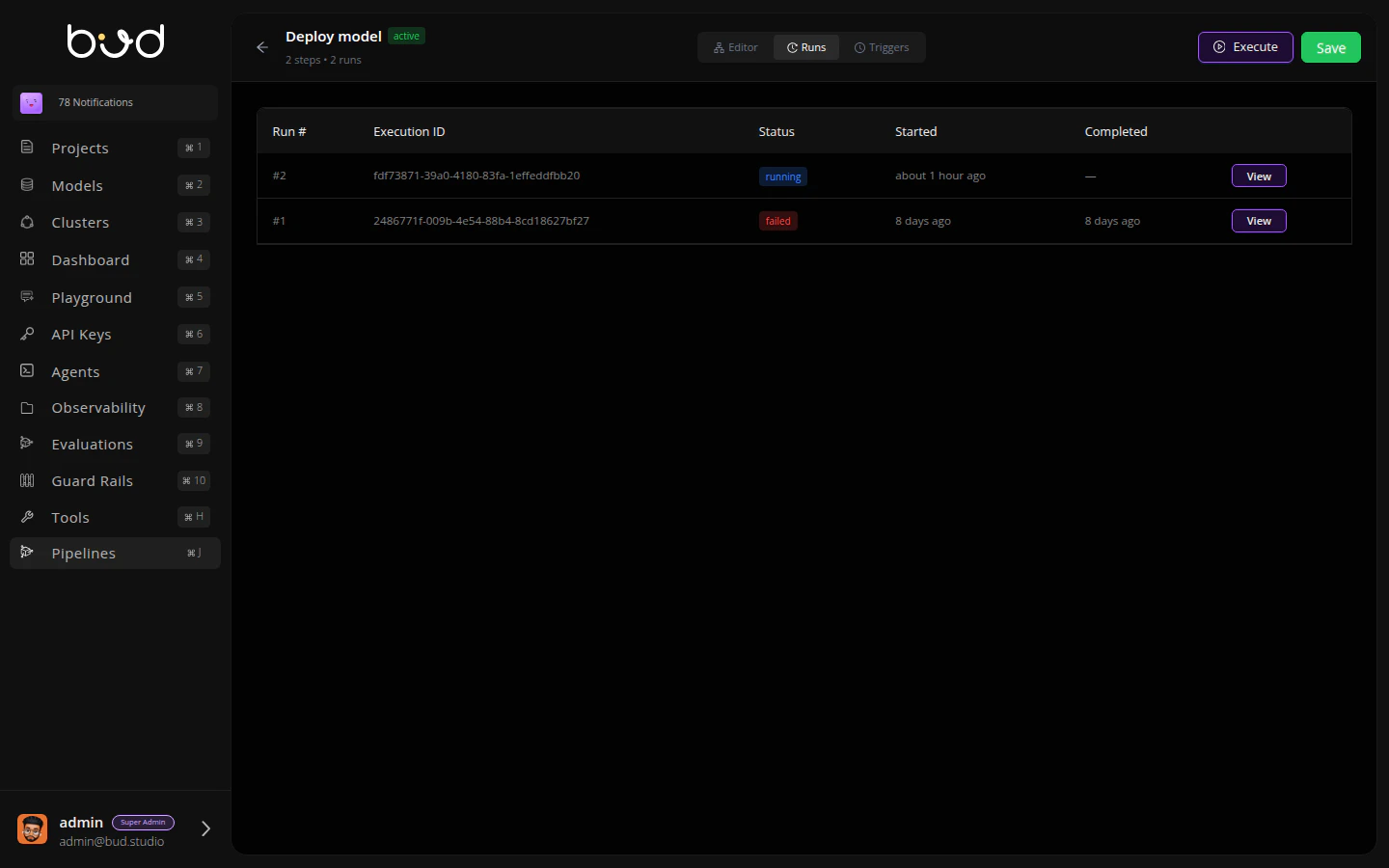
Pipeline Runs Once complete, you’ll have a deployed model endpoint ready to serve inference requests! 🎉

Using the SDK

You can also create and execute pipelines programmatically:
from bud import BudClient

client = BudClient()

# Execute the Add Model → Deploy Model pipeline
execution = client.executions.run_ephemeral(
    pipeline_definition={
        "name": "Model Deployment Pipeline",
        "steps": [
            {
                "id": "add_model",
                "name": "Add Model",
                "action": "model_add",
                "params": {
                    "model_uri": "meta-llama/Llama-3.2-1B-Instruct",
                    "model_name": "Llama-3.2-1B-Instruct",
                    "model_source": "hugging_face"
                },
                "depends_on": []
            },
            {
                "id": "deploy_model",
                "name": "Deploy Model",
                "action": "deployment_create",
                "params": {
                    "model_id": "{{steps.add_model.output.model_id}}",
                    "cluster_id": "cluster_abc123",
                    "deployment_name": "llama-deployment"
                },
                "depends_on": ["add_model"]
            }
        ],
        "outputs": {
            "endpoint_url": "{{steps.deploy_model.output.endpoint_url}}"
        },
        "description": "Add and deploy a model from HuggingFace"
    },
    wait=True
)

print(f"Status: {execution.status}")
print(f"Endpoint: {execution.outputs.get('endpoint_url')}")
For advanced SDK usage, see the API Reference (coming soon).

Next Steps