
Key capabilities
- Dynamic adapter loading: add or remove adapters while a model stays live, with no service interruption.
- Multi-domain inference on shared infrastructure: run legal, finance, support, and document-focused behaviors on shared GPU capacity.
- Adapter-level monitoring and analytics: track usage and behavior per adapter for governance and audits.
Step-by-step guide
- Open Models and add your adapter model to the model catalog first.
- Go to Projects and select the project that contains your deployed base model.
- Open Deployments and then open the target deployment detail page.
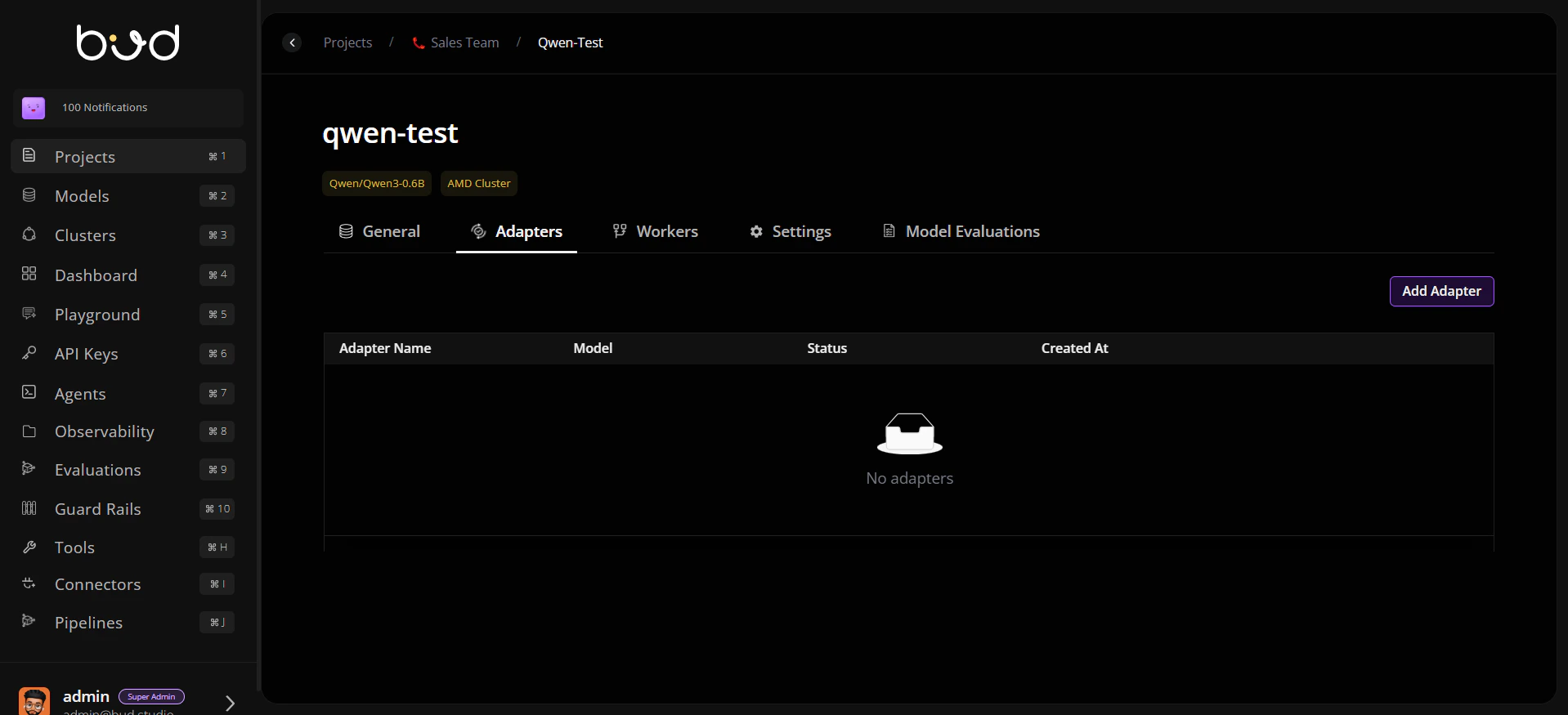
- In deployment details, open the Adapters tab.
- Click Add Adapter.
- In Select Adapter Model, choose the adapter model that you already added in Models.
- Enter adapter deployment details (for example, adapter deployment name) and continue.
- Deploy adapter and monitor status until completion.
- Validate adapter behavior with use-case specific prompts.
- Use adapter-level metrics and logs for ongoing optimization.
Why this matters
- Launch specialized AI capabilities faster.
- Reduce infrastructure cost by reusing shared base deployments.
- Improve control and visibility with adapter-level governance data.
Suggested rollout strategy
- Start with one high-value domain adapter.
- Compare quality and cost against deploying a separate full model.
- Expand to additional adapters once baseline SLAs are met.
- Establish adapter naming, ownership, and review standards.