> ## Documentation Index
> Fetch the complete documentation index at: https://docs.budecosystem.com/llms.txt
> Use this file to discover all available pages before exploring further.
# Introduction to Pipelines
> Automate workflows with visual pipeline orchestration
## Overview
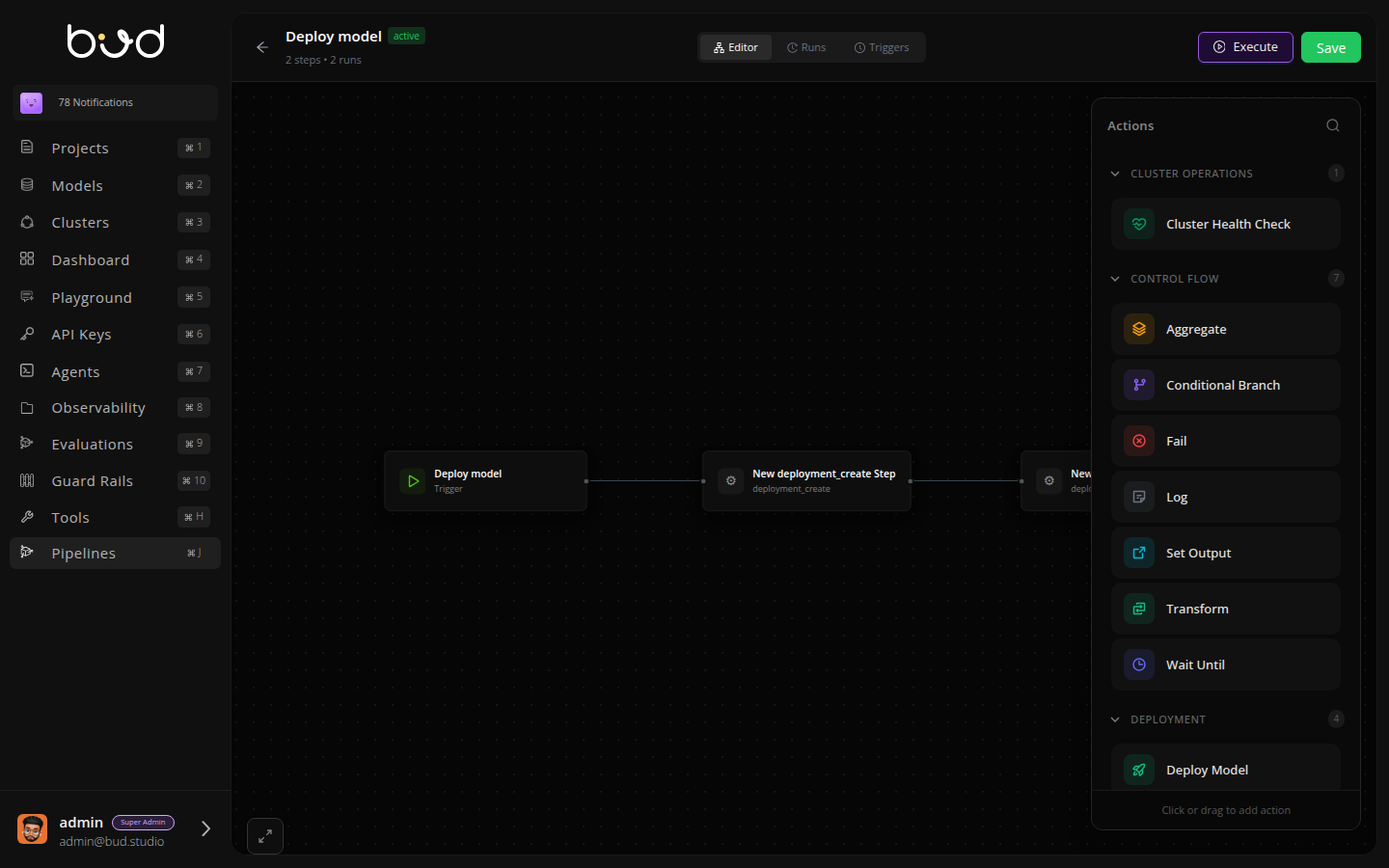
Bud AI Foundry Pipelines enable you to automate complex workflows through visual, directed acyclic graphs (DAGs). Build workflows that orchestrate deployments, manage clusters, and coordinate multi-step processes - all from an intuitive drag-and-drop editor.
 ## Key Features
**Visual Pipeline Editor**
Build workflows with drag-and-drop. Connect actions, configure parameters, and visualize execution flow - no code required.
**Event-Driven Execution**
Trigger pipelines automatically based on platform events like deployments, cluster changes, or custom triggers.
**Complete Observability**
Track every execution with detailed logs, status monitoring, and execution history stored in PostgreSQL.
**Built-in Reliability**
Automatic retries, conditional branching, and error handling ensure your workflows complete successfully.
## Available Actions
Pipelines provide actions across multiple categories:
| Category | Description | Key Actions |
| -------------------- | --------------------------- | --------------------------------------------------------- |
| **Control Flow** | Logic and routing | Log, Conditional Branch, Transform, Aggregate, Wait Until |
| **Deployment** | Model deployment operations | Deploy Model, Scale Deployment, Configure Rate Limiting |
| **Model Operations** | Model management | Add Model, Add Cloud Model, Benchmark Model |
| **Cluster** | Infrastructure operations | Cluster Health Check |
| **Integration** | External services | HTTP Request, Send Notification |
All actions support custom parameters, automatic retries, and timeout configuration. Use the visual editor to discover and configure actions.
## How It Works
1. **Create** - Build your pipeline in the visual editor
2. **Configure** - Set up triggers (manual, scheduled, or event-based)
3. **Execute** - Run pipelines on-demand or automatically
4. **Monitor** - Track execution status and view detailed logs
## Use Cases
Orchestrate model deployments with validation and rollback
Automate health checks and maintenance workflows
Run recurring tasks on a schedule
React to platform events automatically
## Getting Started
Build your first pipeline in 5 minutes
Understand DAGs and workflow basics
Step-by-step guide with examples
## Key Features
**Visual Pipeline Editor**
Build workflows with drag-and-drop. Connect actions, configure parameters, and visualize execution flow - no code required.
**Event-Driven Execution**
Trigger pipelines automatically based on platform events like deployments, cluster changes, or custom triggers.
**Complete Observability**
Track every execution with detailed logs, status monitoring, and execution history stored in PostgreSQL.
**Built-in Reliability**
Automatic retries, conditional branching, and error handling ensure your workflows complete successfully.
## Available Actions
Pipelines provide actions across multiple categories:
| Category | Description | Key Actions |
| -------------------- | --------------------------- | --------------------------------------------------------- |
| **Control Flow** | Logic and routing | Log, Conditional Branch, Transform, Aggregate, Wait Until |
| **Deployment** | Model deployment operations | Deploy Model, Scale Deployment, Configure Rate Limiting |
| **Model Operations** | Model management | Add Model, Add Cloud Model, Benchmark Model |
| **Cluster** | Infrastructure operations | Cluster Health Check |
| **Integration** | External services | HTTP Request, Send Notification |
All actions support custom parameters, automatic retries, and timeout configuration. Use the visual editor to discover and configure actions.
## How It Works
1. **Create** - Build your pipeline in the visual editor
2. **Configure** - Set up triggers (manual, scheduled, or event-based)
3. **Execute** - Run pipelines on-demand or automatically
4. **Monitor** - Track execution status and view detailed logs
## Use Cases
Orchestrate model deployments with validation and rollback
Automate health checks and maintenance workflows
Run recurring tasks on a schedule
React to platform events automatically
## Getting Started
Build your first pipeline in 5 minutes
Understand DAGs and workflow basics
Step-by-step guide with examples