> ## Documentation Index
> Fetch the complete documentation index at: https://docs.budecosystem.com/llms.txt
> Use this file to discover all available pages before exploring further.
# Quickstart
> Add and validate a model in Bud Model Hub in under 10 minutes
This quickstart walks through adding a model, validating readiness, and confirming it is discoverable for deployment workflows.
## What you'll do
1. Open the Models page.
2. Choose a model source.
3. Submit model details and metadata.
4. Verify ingestion and status.
5. Confirm model visibility in the repository.
```mermaid theme={null}
flowchart LR
A[Open Models] --> B[Click + Model]
B --> C[Choose Modality and Source]
C --> D[Fill Metadata and Connectivity]
D --> E[Submit Model]
E --> F[Review Verification and Readiness]
```
## Prerequisites
* Access to Bud AI Foundry.
* Permission to add models.
* One of the following:
* cloud provider access,
* Hugging Face model URI,
* signed URL for model artifact, or
* disk/server path for local artifact.
## Step 1: Open Models
1. Sign in to Bud AI Foundry.
2. Navigate to **Models** from the left sidebar.
3. Confirm you can view the model repository page.
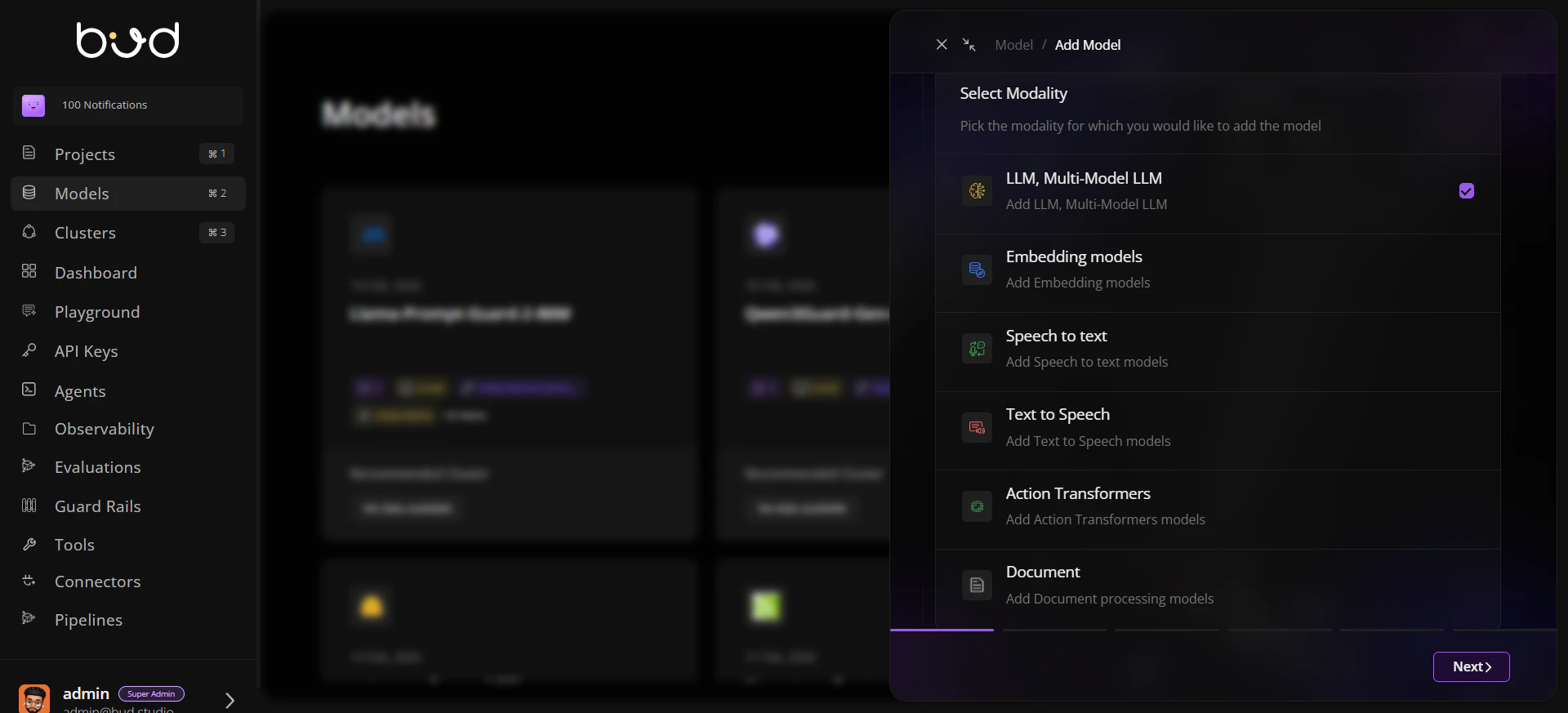
## Step 2: Start onboarding
1. Click **+ Model**.
2. Select the target **modality**.
3. Select a source type:
* **Cloud**
* **Hugging Face**
* **URL**
* **Disk**
 ## Step 3: Configure model details
Provide required fields for the selected source:
* model name,
* URI or provider mapping,
* author/tags,
* modality and endpoint-related metadata.
Use clear naming and tags so teams can find the model quickly in filtered views.
## Step 4: Submit and monitor status
1. Submit the onboarding form.
2. Watch progress for ingestion or linking.
3. Open model details to confirm readiness indicators.
## Step 5: Validate repository presence
1. Return to the model list.
2. Search by name and verify metadata appears as expected.
3. Check recommended cluster and capability context where available.
## Success criteria
The model appears in the repository list.
Metadata (name, tags, source) is correct.
Verification/security indicators are visible.
## Next steps
* Continue with [Creating Your First Model](/models/creating-first-model) for an end-to-end walkthrough.
* Review [Model Concepts](/models/model-concepts) to understand governance and lifecycle states.
## Step 3: Configure model details
Provide required fields for the selected source:
* model name,
* URI or provider mapping,
* author/tags,
* modality and endpoint-related metadata.
Use clear naming and tags so teams can find the model quickly in filtered views.
## Step 4: Submit and monitor status
1. Submit the onboarding form.
2. Watch progress for ingestion or linking.
3. Open model details to confirm readiness indicators.
## Step 5: Validate repository presence
1. Return to the model list.
2. Search by name and verify metadata appears as expected.
3. Check recommended cluster and capability context where available.
## Success criteria
The model appears in the repository list.
Metadata (name, tags, source) is correct.
Verification/security indicators are visible.
## Next steps
* Continue with [Creating Your First Model](/models/creating-first-model) for an end-to-end walkthrough.
* Review [Model Concepts](/models/model-concepts) to understand governance and lifecycle states.