> ## Documentation Index
> Fetch the complete documentation index at: https://docs.budecosystem.com/llms.txt
> Use this file to discover all available pages before exploring further.
# Performance Benchmarks
> Run benchmark experiments on your infrastructure to compare model speed, throughput, and runtime efficiency
Use the Models benchmarking workflow to measure runtime performance before promoting a model to production.
Bud AI Foundry supports guided benchmark creation, benchmark history filtering, and side-by-side comparison of runs executed on your own clusters.
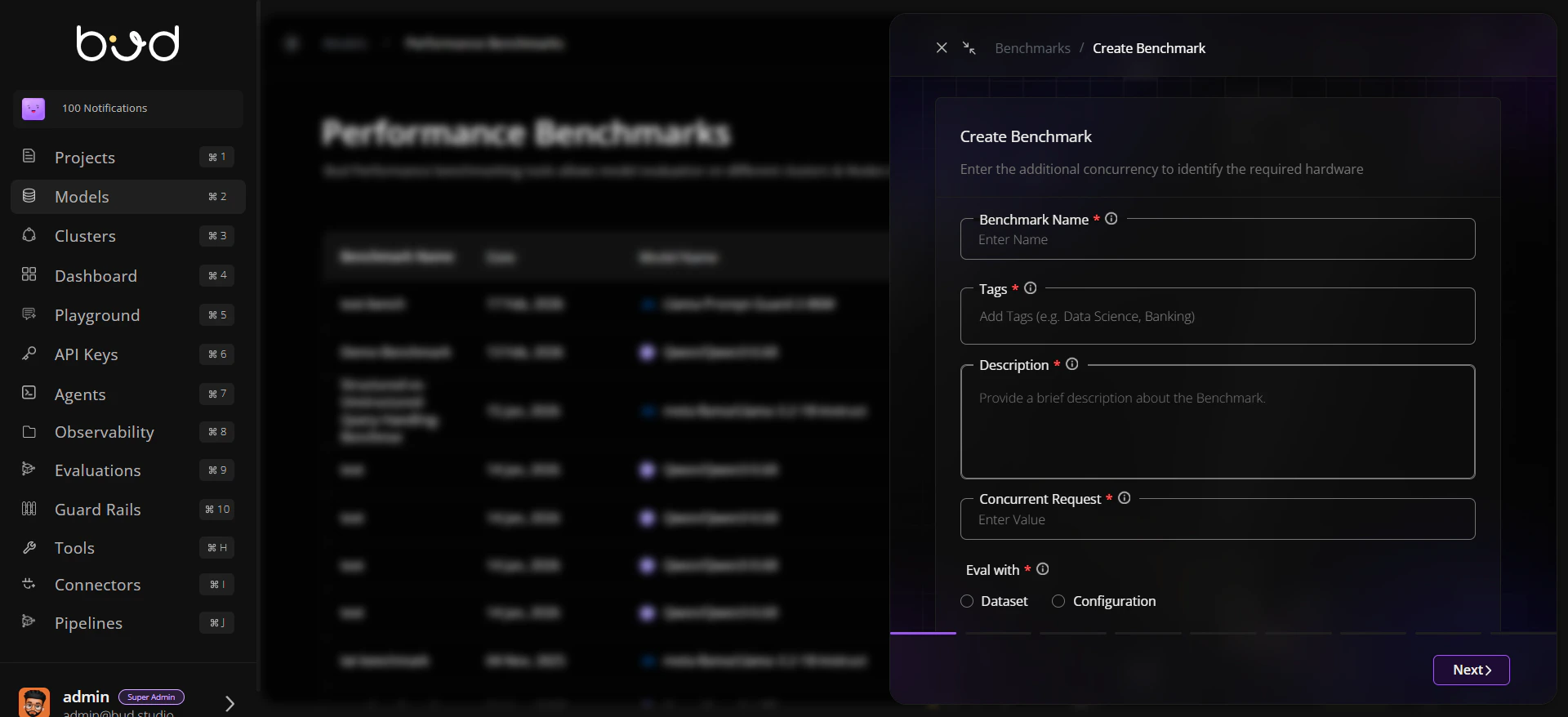
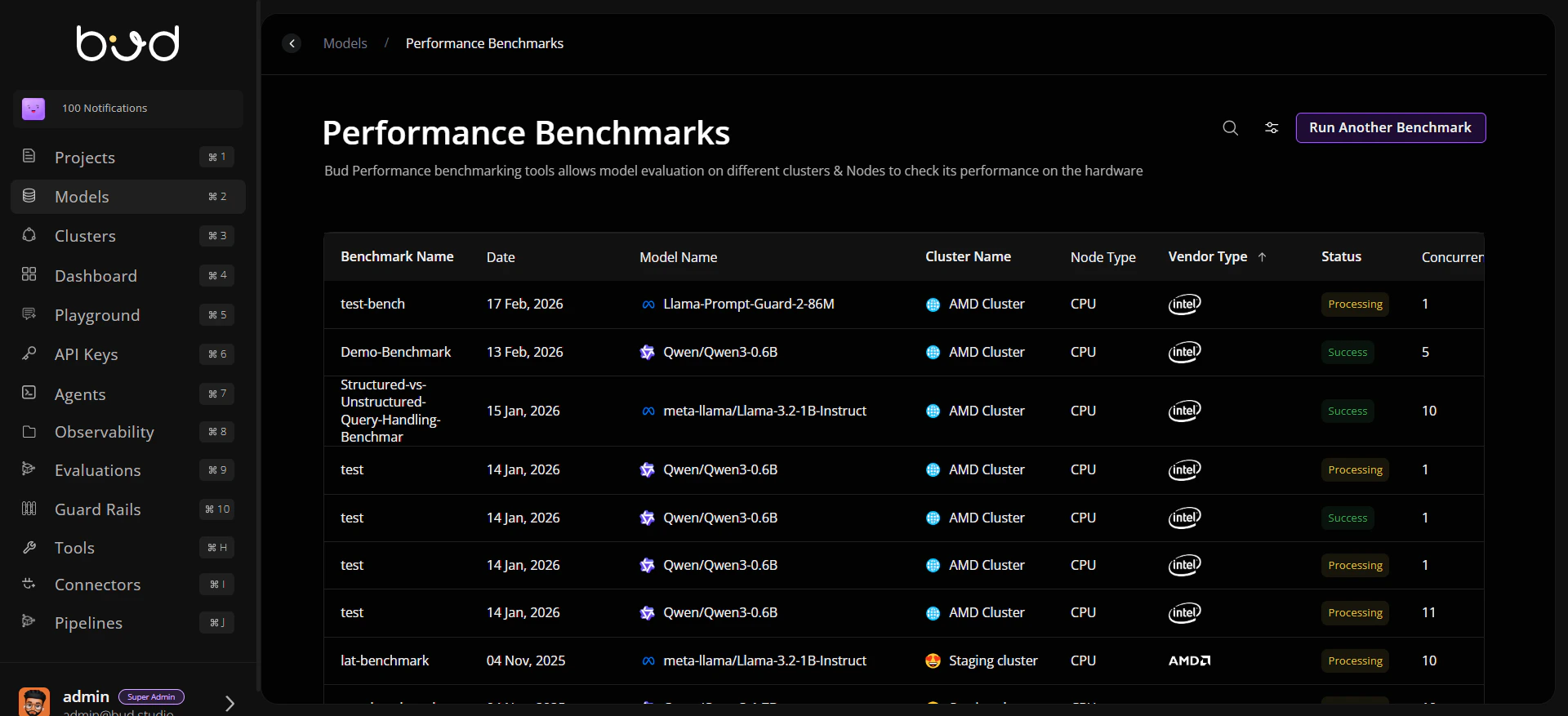 ## Benchmark workflow
```mermaid theme={null}
graph LR
A[Create Benchmark] --> B[Choose Eval Mode]
B --> C[Select Model and Cluster]
C --> D[Configure Hardware and Requests]
D --> E[Run Benchmark]
E --> F[Analyze History and Results]
```
## What to measure
* **Latency**: response time characteristics for target traffic patterns.
* **Throughput**: sustained request handling capacity.
* **Duration**: total benchmark completion time.
* **Consistency**: result stability across reruns and environments.
## Demo walkthrough
1. Open **Benchmark History** from the Models area.
2. Click **Run Another Benchmark**.
3. Enter benchmark metadata (name, tags, description, concurrent requests).
4. Choose evaluation mode:
* Dataset
* Configuration
5. Select model, target cluster, and runtime settings.
6. Run benchmark and monitor status.
7. Review throughput, latency/TPOT, duration, and completion state.
## Recommended process
1. Start with 2-3 candidate models for the same workload.
2. Run the same setup (dataset/config, hardware profile, concurrency) for fair comparison.
3. Track benchmark history by model and status to identify regressions.
4. Re-run critical scenarios after model, adapter, or infrastructure changes.
5. Promote only configurations that satisfy performance SLOs.
## Best practices
* Use descriptive benchmark names for easy audits.
* Tag runs by project, release, or use case for fast filtering.
* Separate exploratory runs from release-gating runs.
* Capture benchmark context (cluster type, runtime settings, request profile) with each run.
## Escalation checklist
Latency and throughput meet service objectives.
Duration is acceptable for recurring validation cycles.
No regression versus the previous approved benchmark baseline.
Approval owner signs off promotion based on benchmark evidence.
## Related docs
* [Evaluations](/models/guides/evaluations)
* [Creating Your First Model](/models/creating-first-model)
* [Troubleshooting](/models/troubleshooting)
## Benchmark workflow
```mermaid theme={null}
graph LR
A[Create Benchmark] --> B[Choose Eval Mode]
B --> C[Select Model and Cluster]
C --> D[Configure Hardware and Requests]
D --> E[Run Benchmark]
E --> F[Analyze History and Results]
```
## What to measure
* **Latency**: response time characteristics for target traffic patterns.
* **Throughput**: sustained request handling capacity.
* **Duration**: total benchmark completion time.
* **Consistency**: result stability across reruns and environments.
## Demo walkthrough
1. Open **Benchmark History** from the Models area.
2. Click **Run Another Benchmark**.
3. Enter benchmark metadata (name, tags, description, concurrent requests).
4. Choose evaluation mode:
* Dataset
* Configuration
5. Select model, target cluster, and runtime settings.
6. Run benchmark and monitor status.
7. Review throughput, latency/TPOT, duration, and completion state.
## Recommended process
1. Start with 2-3 candidate models for the same workload.
2. Run the same setup (dataset/config, hardware profile, concurrency) for fair comparison.
3. Track benchmark history by model and status to identify regressions.
4. Re-run critical scenarios after model, adapter, or infrastructure changes.
5. Promote only configurations that satisfy performance SLOs.
## Best practices
* Use descriptive benchmark names for easy audits.
* Tag runs by project, release, or use case for fast filtering.
* Separate exploratory runs from release-gating runs.
* Capture benchmark context (cluster type, runtime settings, request profile) with each run.
## Escalation checklist
Latency and throughput meet service objectives.
Duration is acceptable for recurring validation cycles.
No regression versus the previous approved benchmark baseline.
Approval owner signs off promotion based on benchmark evidence.
## Related docs
* [Evaluations](/models/guides/evaluations)
* [Creating Your First Model](/models/creating-first-model)
* [Troubleshooting](/models/troubleshooting)