> ## Documentation Index
> Fetch the complete documentation index at: https://docs.budecosystem.com/llms.txt
> Use this file to discover all available pages before exploring further.
# Creating Your First Model
> Step-by-step walkthrough to onboard, verify, and validate your first model
This tutorial shows how to onboard a model from source selection to readiness checks.
## What you'll build
A production-ready model entry that includes:
1. source configuration,
2. searchable metadata,
3. readiness verification,
4. baseline validation for team usage.
```mermaid theme={null}
graph LR
A[Create Model] --> B[Select Source]
B --> C[Provide Metadata]
C --> D[Submit Ingestion]
D --> E[Check Verification]
E --> F[Validate in Repository]
```
## Prerequisites
* Access to Bud AI Foundry.
* Permissions to create models.
* Valid source credentials or artifact access.
## Step 1: Create a new model
1. Open **Models**.
2. Click **+ Model**.
3. Choose a modality that matches your use case.
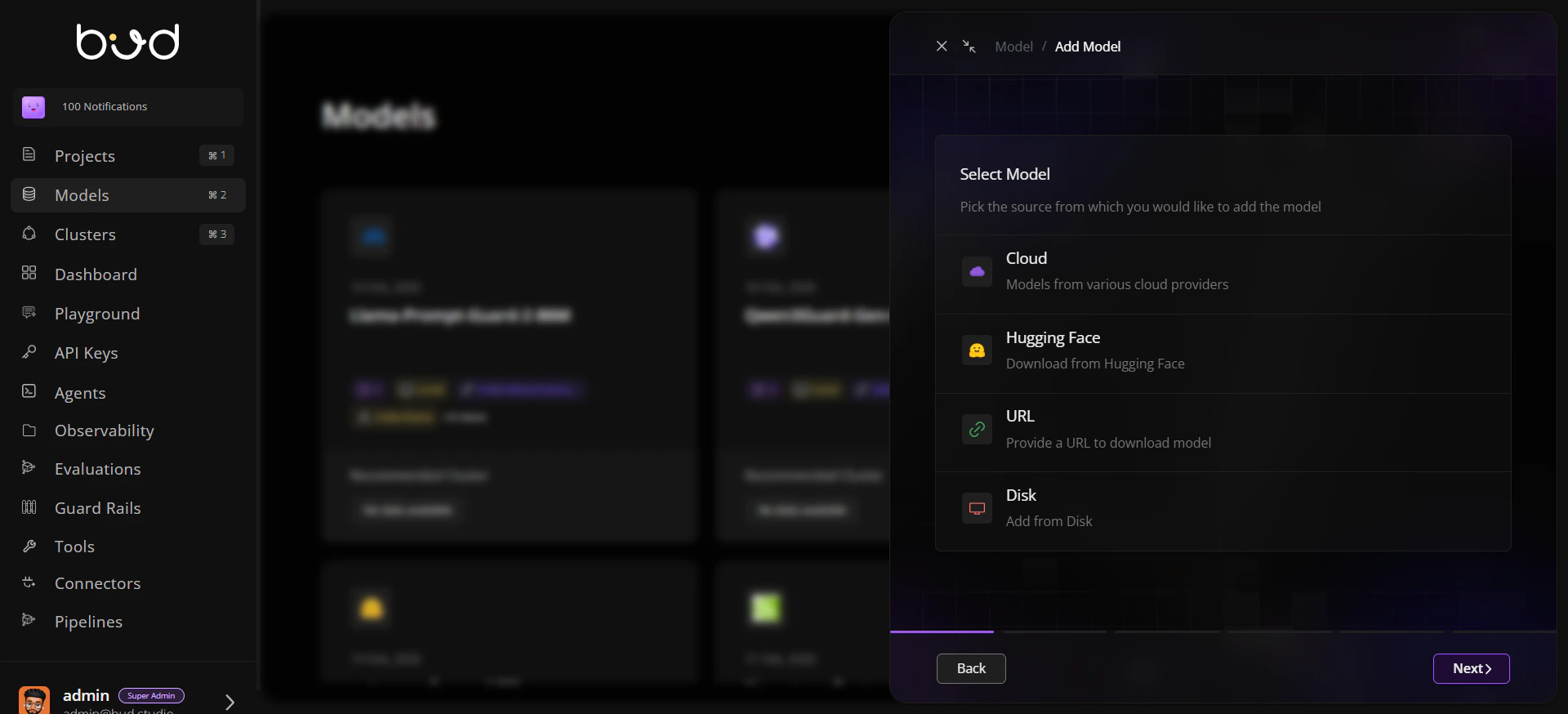
## Step 2: Pick source and connect
Choose one source path:
* **Cloud**: select provider and model.
* **Hugging Face**: provide model identifier.
* **URL**: add approved download URL.
* **Disk**: specify server/mounted path.
 ## Step 3: Add governance metadata
Populate metadata fields before submission:
* name and description,
* owner/author,
* tags and tasks,
* relevant public links.
Consistent tags improve filtering for large multi-team model inventories.
## Step 4: Submit onboarding
1. Confirm details.
2. Submit the form.
3. Wait for ingestion and validation updates.
## Step 5: Review model details
Open the model detail view and verify:
* source and modality,
* verification and scan indicators,
* compatibility context for downstream deployment.
## Step 6: Validate discoverability
1. Return to repository list.
2. Search/filter by name, source, or tags.
3. Confirm the model appears for intended teams.
## Step 7: Optional baseline checks
* Run a security scan if required.
* Trigger benchmark/evaluation workflows for baseline quality and performance evidence.
## Expected result
Your model is successfully onboarded and visible in the repository.
Verification signals are available for governance review.
The model is ready for deployment and project workflows.
## Next steps
Understand lifecycle and governance states.
Apply trust controls before production usage.
Compare latency and throughput across options.
## Step 3: Add governance metadata
Populate metadata fields before submission:
* name and description,
* owner/author,
* tags and tasks,
* relevant public links.
Consistent tags improve filtering for large multi-team model inventories.
## Step 4: Submit onboarding
1. Confirm details.
2. Submit the form.
3. Wait for ingestion and validation updates.
## Step 5: Review model details
Open the model detail view and verify:
* source and modality,
* verification and scan indicators,
* compatibility context for downstream deployment.
## Step 6: Validate discoverability
1. Return to repository list.
2. Search/filter by name, source, or tags.
3. Confirm the model appears for intended teams.
## Step 7: Optional baseline checks
* Run a security scan if required.
* Trigger benchmark/evaluation workflows for baseline quality and performance evidence.
## Expected result
Your model is successfully onboarded and visible in the repository.
Verification signals are available for governance review.
The model is ready for deployment and project workflows.
## Next steps
Understand lifecycle and governance states.
Apply trust controls before production usage.
Compare latency and throughput across options.