> ## Documentation Index
> Fetch the complete documentation index at: https://docs.budecosystem.com/llms.txt
> Use this file to discover all available pages before exploring further.
# Quick Start
> Create an experiment and run your first model evaluation
This quick start shows the fastest path to run one evaluation and inspect results.
## Step 1: Open Evaluations
1. Sign in to Bud AI Foundry.
2. Go to **Evaluations** in the sidebar.
3. Keep the **Experiments** tab open for run management.
## Step 2: Create an Experiment
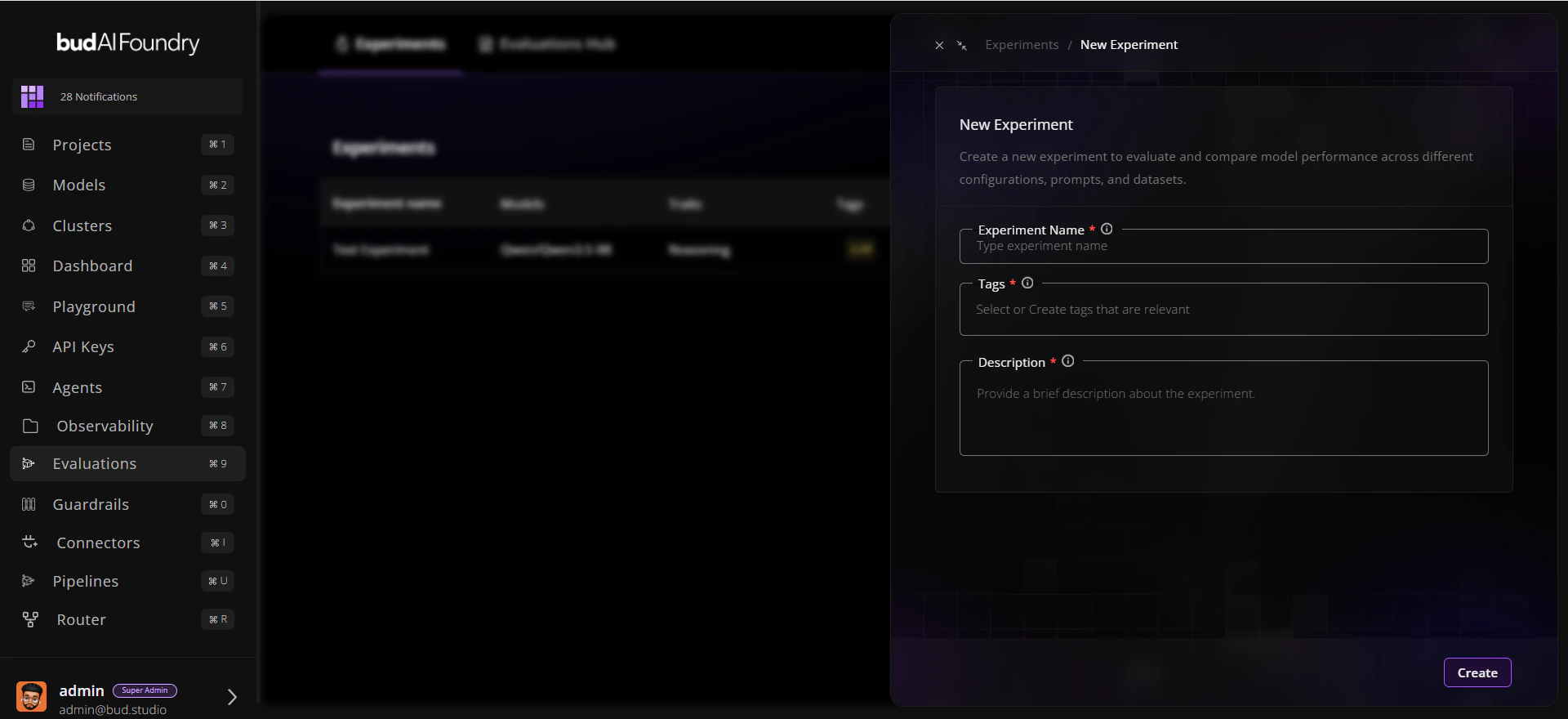
1. Click **New experiment**.
2. Enter:
* **Name**: `Baseline Reasoning Comparison`
* **Description**: `Compare candidate models on reasoning traits`
* **Tags**: `baseline`, `reasoning`
3. Save the experiment.
 ## Step 3: Start a Run
1. Open the experiment you created.
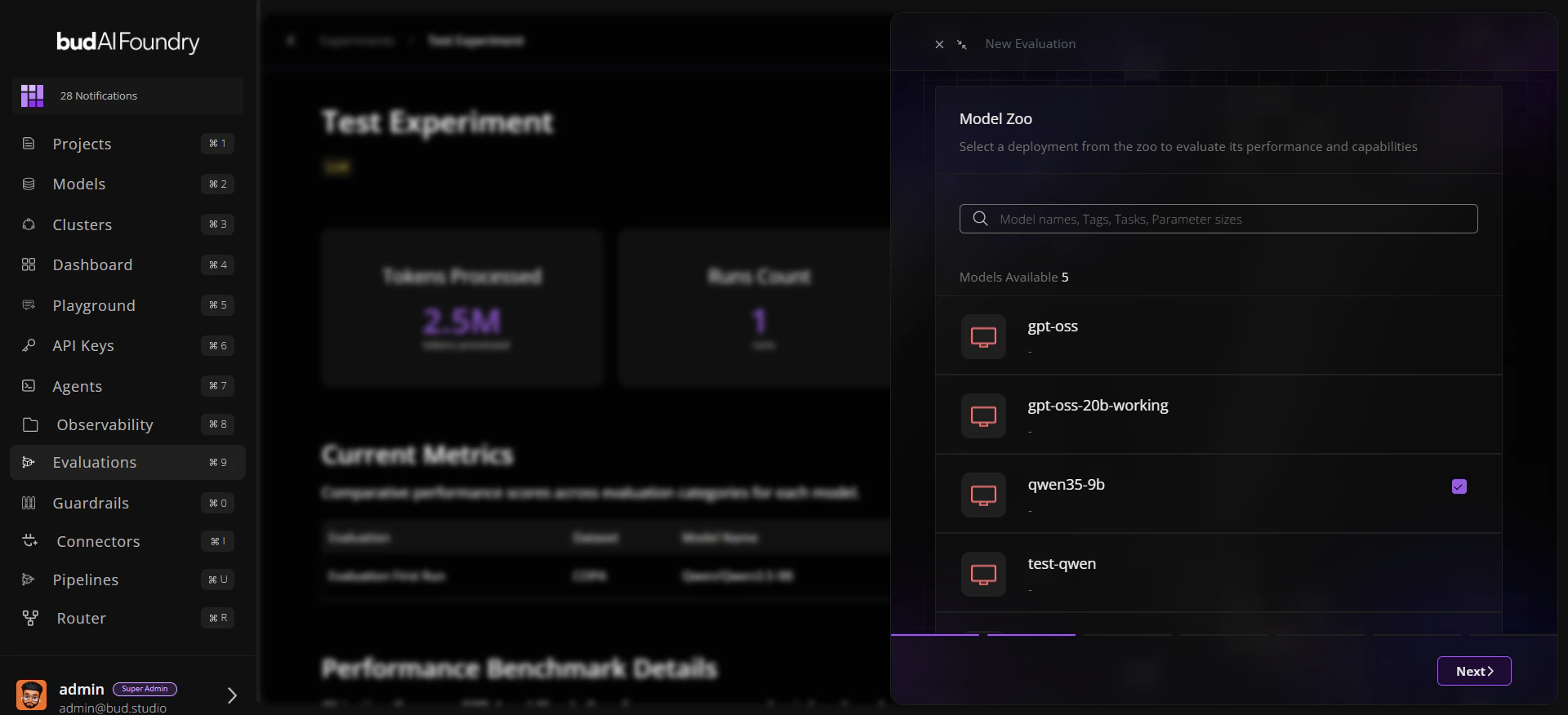
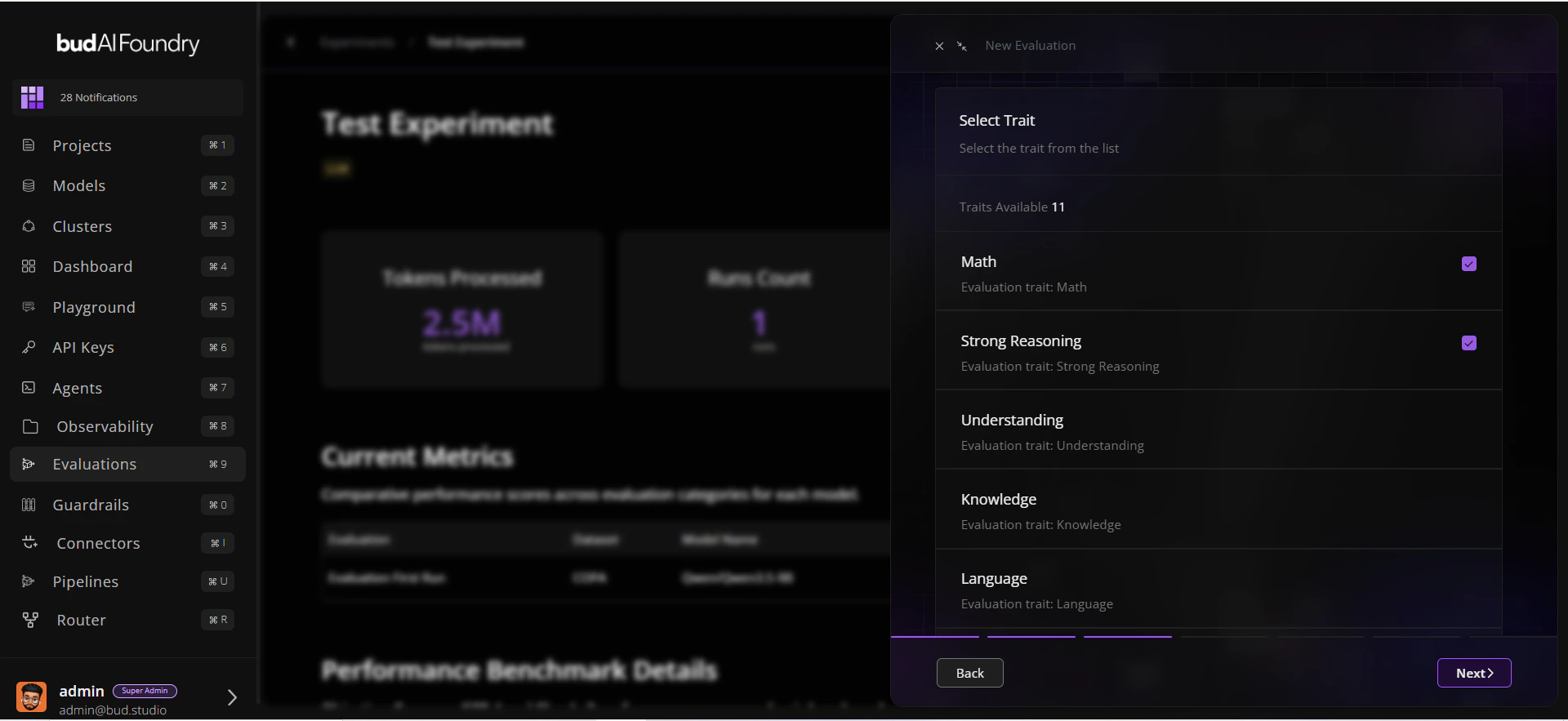
2. Click **Run Evaluation**.
3. Select:
* A model (deployment or supported target)
* One or more traits
* Datasets mapped to those traits
4. Confirm and start the run.
```mermaid theme={null}
flowchart LR
A[New Experiment] --> B[Run Evaluation]
B --> C[Pick Model]
C --> D[Pick Traits + Datasets]
D --> E[Submit]
E --> F[Run Queued/Running]
```
## Step 3: Start a Run
1. Open the experiment you created.
2. Click **Run Evaluation**.
3. Select:
* A model (deployment or supported target)
* One or more traits
* Datasets mapped to those traits
4. Confirm and start the run.
```mermaid theme={null}
flowchart LR
A[New Experiment] --> B[Run Evaluation]
B --> C[Pick Model]
C --> D[Pick Traits + Datasets]
D --> E[Submit]
E --> F[Run Queued/Running]
```
 ## Step 4: Monitor Progress
1. Watch run status in the experiment table.
2. Open run details to review:
* Status and duration
* Trait-level scores
* Dataset-level benchmark summary
## Step 5: Compare and Decide
1. Open the dataset in **Evaluations Hub**.
2. Use **Leaderboard** for cross-model ranking.
3. Use **Evaluations Explorer** for prompt/response-level inspection.
Use consistent experiment tags (for example: `release-candidate`, `nightly`) so filtering stays clean as runs scale.
## Next Steps
Follow a production-style walkthrough
Resolve common run and filter issues quickly
## Step 4: Monitor Progress
1. Watch run status in the experiment table.
2. Open run details to review:
* Status and duration
* Trait-level scores
* Dataset-level benchmark summary
## Step 5: Compare and Decide
1. Open the dataset in **Evaluations Hub**.
2. Use **Leaderboard** for cross-model ranking.
3. Use **Evaluations Explorer** for prompt/response-level inspection.
Use consistent experiment tags (for example: `release-candidate`, `nightly`) so filtering stays clean as runs scale.
## Next Steps
Follow a production-style walkthrough
Resolve common run and filter issues quickly