> ## Documentation Index
> Fetch the complete documentation index at: https://docs.budecosystem.com/llms.txt
> Use this file to discover all available pages before exploring further.
# Introduction to Evaluations
> Benchmark model quality with curated datasets, traits, and experiment workflows
## Overview
Bud AI Foundry Evaluations help teams measure model quality before rollout. You can benchmark Bud-hosted and cloud-connected models using curated datasets, trait filters, and repeatable experiment runs.
```mermaid theme={null}
flowchart LR
A[Evaluations Hub] --> B[Review Dataset + Traits]
B --> C[Create Experiment]
C --> D[Run Evaluation]
D --> E[Review Scores + Explorer]
E --> F[Promote or Iterate]
```
## What You Can Do
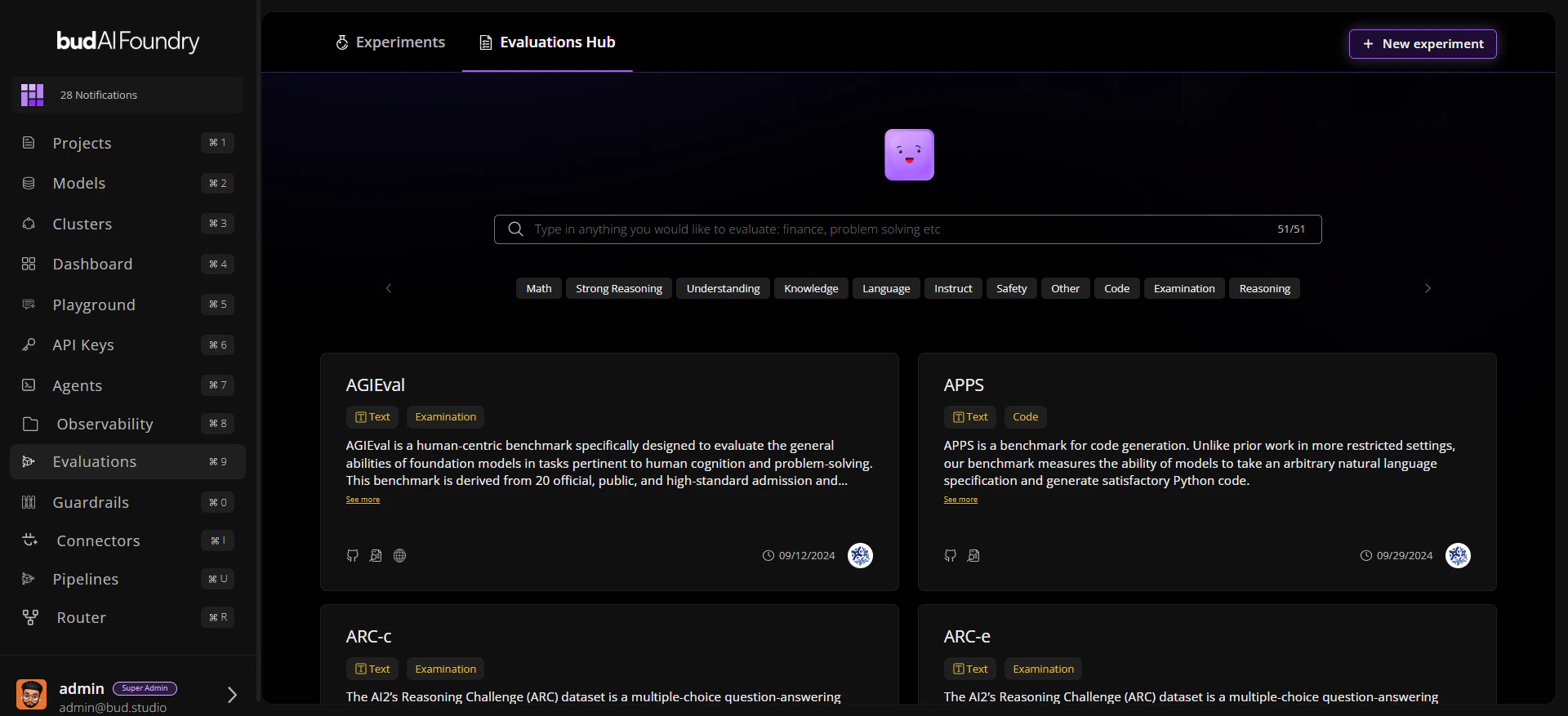
**Discover Benchmarks** Use Evaluations Hub search and trait filters to find relevant datasets quickly.
**Run Structured Experiments** Group one or more runs under an experiment, then compare model results over time.
**Inspect Results Deeply** Use Details, Leaderboard and Evaluations Explorer tabs to move from summary scores to row-level evidence.
**Export for Governance** Export evaluation outcomes as CSV for audits, reviews, and reporting.
## Core Screens
| Screen | Purpose |
| --------------------- | ----------------------------------------------------------- |
| **Evaluations Hub** | Browse datasets with modalities, traits, and metadata links |
| **Evaluation Detail** | Inspect details, leaderboard and sample-level explorer |
| **Experiments** | Track evaluation studies with status, tags, and timestamps |
| **Experiment Detail** | Review run history, benchmark details, and current metrics |
 ## Evaluation Lifecycle
1. Discover a dataset in **Evaluations Hub**.
2. Create or open an **Experiment**.
3. Launch a **Run Evaluation** workflow.
4. Monitor run status and per-trait scores.
5. Compare outcomes and rerun with updated configuration.
## Next Steps
Run your first evaluation in minutes
Learn entities, states, and score interpretation
Follow a full end-to-end walkthrough
## Evaluation Lifecycle
1. Discover a dataset in **Evaluations Hub**.
2. Create or open an **Experiment**.
3. Launch a **Run Evaluation** workflow.
4. Monitor run status and per-trait scores.
5. Compare outcomes and rerun with updated configuration.
## Next Steps
Run your first evaluation in minutes
Learn entities, states, and score interpretation
Follow a full end-to-end walkthrough