> ## Documentation Index
> Fetch the complete documentation index at: https://docs.budecosystem.com/llms.txt
> Use this file to discover all available pages before exploring further.
# Quickstart
> Make your first successful API Integration request
This guide walks through a minimal end-to-end flow: get endpoint details from a project, create a project API key, and send a request.
## Step 1: Open a Project Endpoint
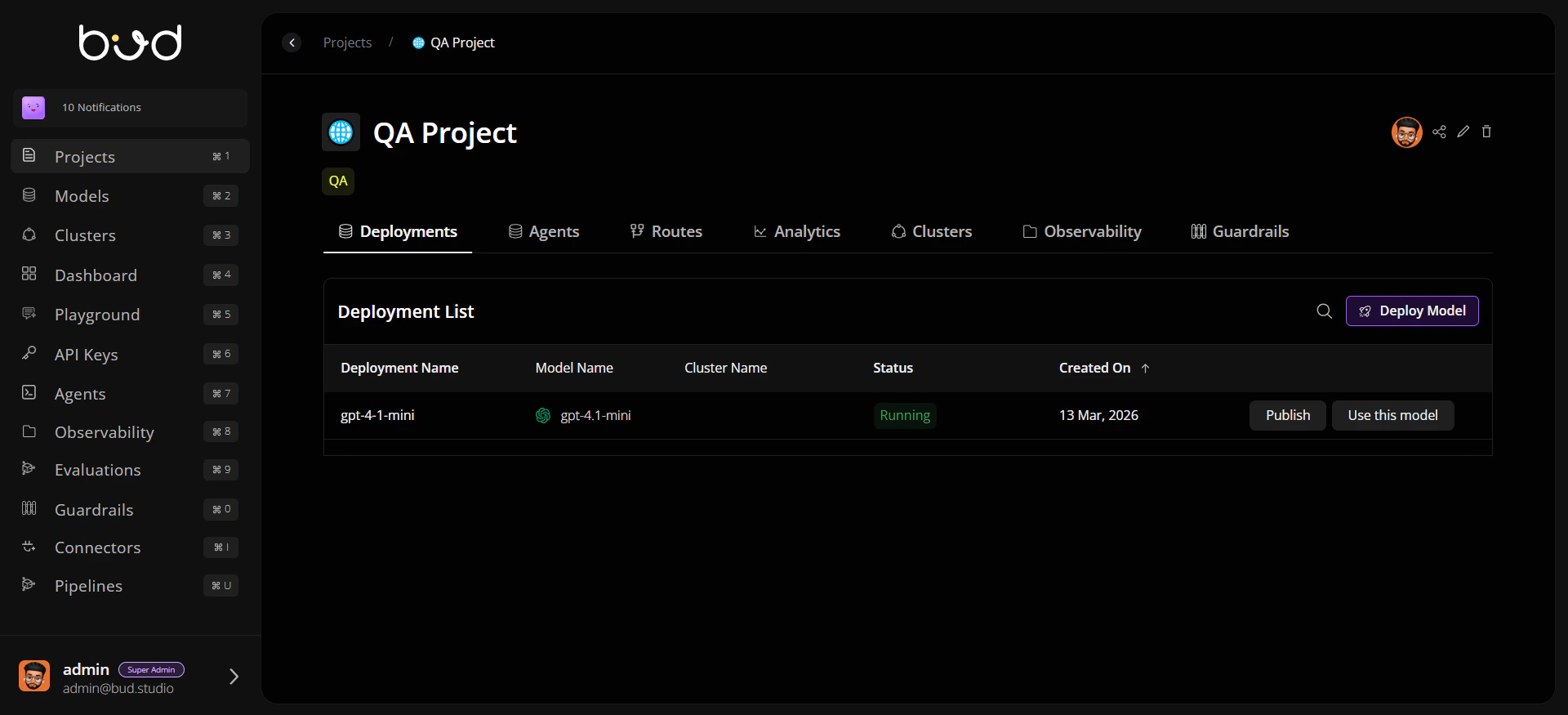
1. In Bud AI Foundry, open **Projects**.
2. Select your project.
3. In the routes/deployments area, click **Use this model** for a running endpoint.
4. Note the generated base URL, path, and model name.
 ## Step 2: Create a Project API Key
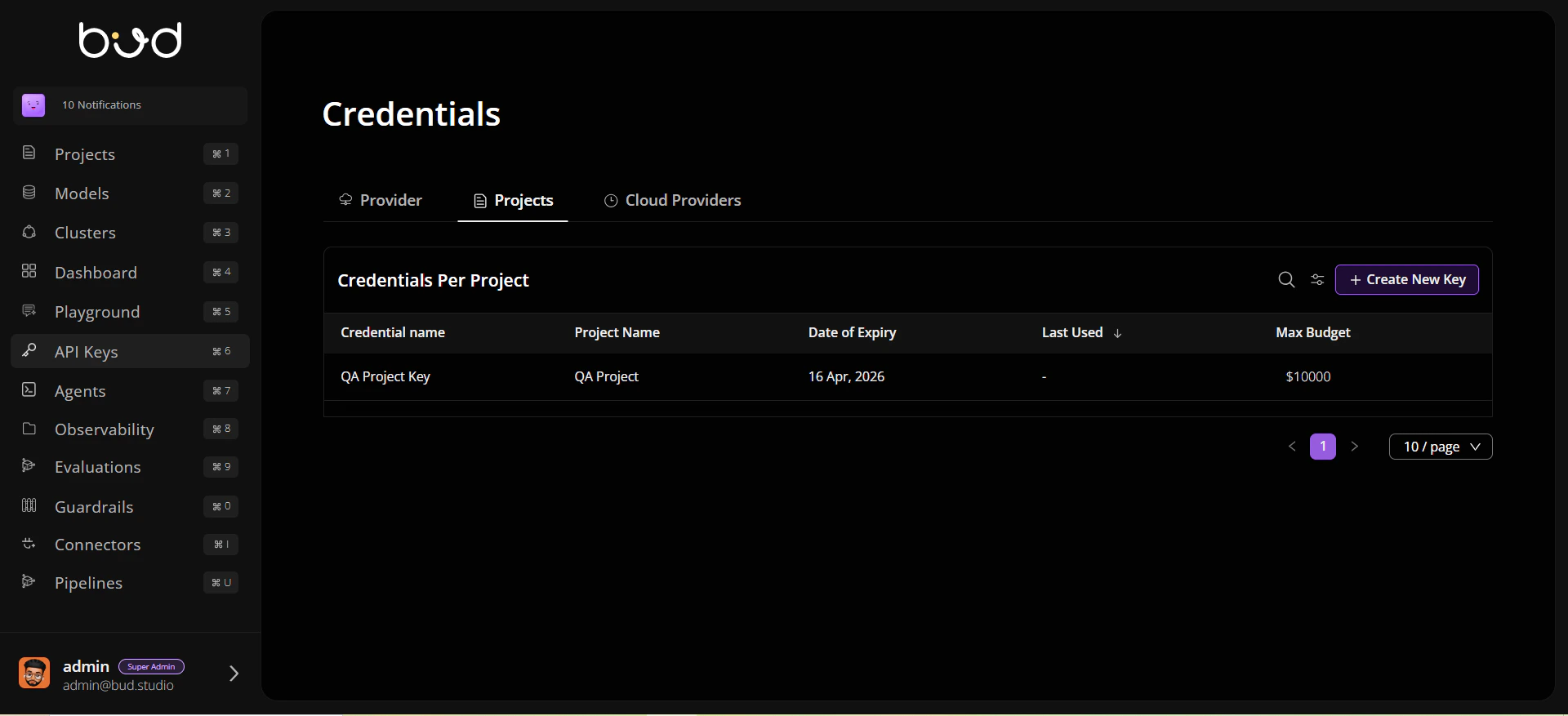
1. Navigate to **API Keys**.
2. Create a key scoped to the same project.
3. Copy the key securely.
## Step 2: Create a Project API Key
1. Navigate to **API Keys**.
2. Create a key scoped to the same project.
3. Copy the key securely.
 Store API keys in a secret manager or environment variable. Do not hardcode keys in source code.
## Step 3: Send a Test Request
```bash theme={null}
curl --location 'https://YOUR_BASE_URL/v1/chat/completions' \
--header 'Authorization: Bearer YOUR_API_KEY' \
--header 'Content-Type: application/json' \
--data '{
"model": "YOUR_MODEL_NAME",
"messages": [{"role": "user", "content": "Give me a one-line summary of Bud AI Foundry."}],
"max_tokens": 128
}'
```
## Step 4: Validate the Response
Confirm that:
* You receive HTTP `200`.
* The response includes a completion payload.
* The model and endpoint match your selected project route.
```mermaid theme={null}
flowchart TD
A[Select Endpoint in Project] --> B[Create Project API Key]
B --> C[Send Request]
C --> D{200 OK?}
D -->|Yes| E[Integration Ready]
D -->|No| F[Check Auth / URL / Payload]
```
## Step 5: Move to Application Code
Use generated snippets from the **Use this model** drawer for:
* cURL
* Python (`requests`)
* JavaScript (`fetch`)
Then add retry and timeout policies before production rollout.
## What to Read Next
* [API Integration Concepts](/api-integration/api-integration-concepts)
* [Creating Your First API Integration](/api-integration/creating-first-api-integration)
* [Troubleshooting](/api-integration/troubleshooting)
Store API keys in a secret manager or environment variable. Do not hardcode keys in source code.
## Step 3: Send a Test Request
```bash theme={null}
curl --location 'https://YOUR_BASE_URL/v1/chat/completions' \
--header 'Authorization: Bearer YOUR_API_KEY' \
--header 'Content-Type: application/json' \
--data '{
"model": "YOUR_MODEL_NAME",
"messages": [{"role": "user", "content": "Give me a one-line summary of Bud AI Foundry."}],
"max_tokens": 128
}'
```
## Step 4: Validate the Response
Confirm that:
* You receive HTTP `200`.
* The response includes a completion payload.
* The model and endpoint match your selected project route.
```mermaid theme={null}
flowchart TD
A[Select Endpoint in Project] --> B[Create Project API Key]
B --> C[Send Request]
C --> D{200 OK?}
D -->|Yes| E[Integration Ready]
D -->|No| F[Check Auth / URL / Payload]
```
## Step 5: Move to Application Code
Use generated snippets from the **Use this model** drawer for:
* cURL
* Python (`requests`)
* JavaScript (`fetch`)
Then add retry and timeout policies before production rollout.
## What to Read Next
* [API Integration Concepts](/api-integration/api-integration-concepts)
* [Creating Your First API Integration](/api-integration/creating-first-api-integration)
* [Troubleshooting](/api-integration/troubleshooting)